Shop demo
The shop example (examples/shop in the repository) is one droplets server with nine droplets: a gallery with a filter, product
pages with comments, a cart, toasts, a login and an admin.
Twelve host examples serve it, each building the
same pages around the droplets in its own stack (/gallery,
/product/:slug, /login, /admin); the same end-to-end test runs on
nine of them. The others have flows of their own:
WordPress, with WordPress holding the data; htmx, whose static pages move as
one; and Static HTML, one cross-origin page with no proxy, which shows the
gallery and the product pages but no cart or admin. The tour on the home page walks through the WordPress host’s
pages droplet by droplet.
The pages and their droplets
Section titled “The pages and their droplets”The host renders the layout; each slot is a droplet pasted in as
<djs-shop> (the shop’s element). The gallery:
The other pages, in the same layout (header with the cart, toasts first in the body, footer):
| Page | Droplets |
|---|---|
/product/:slug |
product-page (Handlebars): prerendered per product, stock and price filled in live on every request, no JavaScript. product-comments (Solid): server-rendered, hydrates when visible; full oldest-first pages prerendered, the rest live. The host’s breadcrumb takes the name and category from product-page’s _data. |
/login |
login (Hono JSX): server-rendered, no JavaScript; a post sets the session cookie and answers 303 to next (/admin). |
/admin |
product-admin (Vue): server-rendered and hydrated; a login gate without a session; stock, products, the campaign. |
| any page | product-card (Svelte): one product card, server-rendered, hydrates when visible, for a host’s own pages; the library uses the same card. |
How it fits together
Section titled “How it fits together”Three parties: the browser, the host and the shop (a droplets server the
host reaches on an internal address, never exposed). The host owns the
page: its routes, the layout, the header and footer. For each page it
fetches the droplets that fill its slots from the shop, server to server,
passing its public origin as x-droplet-location, the browser’s Cookie and the page’s
own URL as Referer, and pastes the HTML in. The page loads /index.js
once and each droplet hydrates itself. Everything else the browser asks
the shop for (bundles, _data, form posts, /api) goes through a proxy on
the host’s origin, so the browser sees one origin, the cart and the admin
session are first-party cookies, and nothing is cross-origin. Each host’s
page in this section shows its own version of this, with the code.
The shop’s cookies, cart_id and shop_admin, are set by form actions and
/api; every host passes Set-Cookie on, so they are first-party on the
host’s origin: HttpOnly, SameSite=Lax, Secure except over plain HTTP
to a loopback host.
The single-page app (React + Vite) has no step ②: its pages render in the browser, which fetches each fragment through the same proxy (③).
examples/shop/CONTRACT.md is the full contract: every droplet’s props,
the events they send each other on window, the JSON API and the headers a
host must pass.
Toasts: one queue on the page
Section titled “Toasts: one queue on the page”“Added to cart” is a toast, not a line under the button. The
toast-center droplet (Solid, client-only, hydrated on load) listens on
window.shopMessageQueue, a small EventEmitter whose event names are the
message kinds. init in the shop’s
src/hooks.client.ts installs
the queue: /index.js calls it before any droplet starts, so the queue is
there before anything else on the page is live. Every host places the toasts
once, first in the body by convention. Any droplet, or the host page itself,
emits into it:
window.shopMessageQueue?.emit("toast", { type: "success", label: "Added to cart" });The product card sends its add’s result itself; the product page ships no
JavaScript, so init relays its enhanced add from droplets:action. A
toast is checked before it shows (success, error or info, a label of
at most 140 characters); the stack keeps three and drops the oldest, each
toast goes after 3.5 seconds unless the pointer or the focus is on it, and
the same toast twice in a row folds into one with a counter. Without JavaScript there is no toast: the page
comes back with the button saying “✓ Added”.
How each host embeds the droplets
Section titled “How each host embeds the droplets”| Host | Pages | Fragments | Proxy to the shop |
|---|---|---|---|
| nginx | static .html files |
Server Side Includes (include virtual); the product’s id from its _data into an SSI variable |
proxy_pass |
| Express 5 | route handlers, template strings | fetch on the server, in parallel |
a router that streams through |
| FastAPI | Jinja2 templates | httpx, asyncio.gather |
a catch-all route |
| Sinatra | ERB views | Net::HTTP, a thread per fragment |
a catch-all route |
| PHP | PHP templates, no framework | curl_multi, all at once |
a front controller (index.php) |
| React + Vite | a single-page app | client-only: fetched by the browser, the cart as data-droplet |
nginx in the image |
| Astro 5 | .astro pages, set:html |
fetch in the frontmatter; cookies through Astro.response |
endpoints (ALL) |
| SvelteKit | +page.svelte, {@html} |
fetch in +page.server.ts; cookies from handle |
hooks.server.ts |
| Next.js 16 | server components | fetch in the component, dangerouslySetInnerHTML |
route handlers |
| Static HTML | one static .html file |
client-only: fetched by the browser from the shop’s own origin | none: cross-origin, so no cart or admin |
nginx and Next.js cannot pass on a Set-Cookie that a fragment sends on a
plain GET: an SSI include is a subrequest whose headers nginx discards,
and a server component may not set cookies. The shop sets cookies only from
form actions and /api, which go through the proxy on every host, so it
works on both. Their pages say what a droplet that sets cookies on a GET
would need.
Without JavaScript, every form still works: a native post answers 303
back to the host page with the result signed in its query
(Post/Redirect/Get),
and the host renders that page again, passing its URL on. The SPA is the
exception: it renders its pages in the browser, so it needs JavaScript.
Stale-free SSG with a version prop
Section titled “Stale-free SSG with a version prop”The product page is prerendered once per product, yet it is never stale.
Its props are slug and an optional v: a short hash of everything the
page renders at build (the load’s data: name, text, image, category, the
related products). Stock and prices are not in it: transform fills them
in on every request.
entries()lists{ slug, v }with each product’svat build. Only those props are prerendered.- Every link the shop builds carries the current
v: the gallery’s cards, the cart, the page’s related products. An unedited product’s link hits the stored page; an edited one has a newv, which was never prerendered, so it renders live. /product/:slugwithoutvalways renders live: the canonical, shareable URL.- An old
v(a bookmark, a cached link) is redirected to the same page without it.
export const entries = (async () =>  [...(await pageVersions())].map(([slug, v]) => ({ props: { slug, v } }))) satisfies Entries;
export const transform = async ({ html, props, host }: TransformEvent) => {  const slug = String(props["slug"]);  const [live, versions] = await Promise.all([liveValues(slug), pageVersions()]);  if (!live) return `<p class="gone">This product is no longer available. <a href="/gallery">Back to the gallery</a></p>`;
  if (props["v"] !== undefined && props["v"] !== versions.get(slug)) {    // `host` is the host page, from the Referer its server sends (a trusted    // origin only, see hooks.server.ts): the same page, without `v`.    const canonical = new URL(host);    canonical.searchParams.delete("v");    redirect(302, canonical.href);  }
  return fillVersions(fillLive(html, live), versions);};
The template writes %live:stock-label%, %live:price% and the like where
the live values go, and %v:<slug>% after each related product’s link;
fillLive and fillVersions replace them with the database’s values and
the current ?v=. transform runs over the stored page and the live one
alike, so the
redirect and the replacements need no special case. A host forwards v
from its page’s query to the product page and answers the fragment’s
redirect as it is, as it does for any droplet. Two hosts cannot pass a
fragment’s redirect on: nginx asks the fragment first (auth_request) and
redirects itself, and the single-page app replaces its URL without v
when the fragment answers a redirect.
Running a host
Section titled “Running a host”Each host is a Docker Compose project in examples/hosts/<id>: the host
(web), the shop (shop, reachable from web only) and, for the host’s
basic page, the Svelte example’s droplets server (droplets). Every
port is published on 127.0.0.1 only. Two secrets come from the
environment or a .env file beside docker-compose.yml, 32 or more random
characters each (openssl rand -hex 32); compose refuses to start without
them, and pnpm test:hosts generates its own for a run:
cd examples/hosts/expressexport SHOP_SECRET=$(openssl rand -hex 32) DROPLETS_SECRET=$(openssl rand -hex 32)docker compose up --buildopen http://localhost:8003/gallery # log in as admin / dropletsThe shop’s environment is the same in every host’s compose file, its trusted origin aside:
| Variable | Value | What for |
|---|---|---|
DROPLETS_TRUSTED_ORIGINS |
the host’s own origin (http://localhost:8003 for Express) |
The only origin besides its own whose x-droplet-location and form posts the shop accepts; a host outside it renders as the shop’s own origin |
DROPLETS_SECRET |
from the environment | Signs a form’s result on the redirect back to the page when JavaScript is off (Post/Redirect/Get) |
SHOP_SECRET |
from the environment | The key the admin session cookie is signed with |
ADMIN_USER, ADMIN_PASSWORD |
admin, droplets |
The demo login |
Each host’s page has its ports, the values it gives itself (the shop’s internal URL and its own public origin) and its command.
Each host, recorded
Section titled “Each host, recorded”The test (tests/hosts in the repository) starts each host’s
docker compose stack with random secrets for the run and, in Chromium: opens the gallery, adds a product
to the cart and checks the badge counts it, logs in to the admin and sets
that product’s stock to 0, goes back to the gallery, and opens the
product’s page, which says “Out of stock”. The other tests in
tests/hosts/e2e/shop.spec.ts, on the same stack:
- the product page’s add to cart shows a toast, and the button says “✓ Added”;
- with JavaScript off, an add from the product page lands back on the
host’s page,
__droplet_form_product-page_<build>in its query, with the result on the button (skipped for the single-page app); - a new visitor gets an empty cart and no admin session: a host that kept the shop’s cookies in one server-side jar would fail it;
- a product renamed in the admin gets a new version in the gallery’s link,
its page shows the new name, and the old link redirects to the page
without
v.
pnpm test:hosts # every host not run by name, one at a timepnpm test:hosts express sveltekit # somepnpm test:hosts express --https # Express behind Caddy, on https://127-0-0-1.sslip.io:8443pnpm test:hosts --docs # refresh the videos and screenshots in these docspnpm test:hosts wordpress # the WordPress showcase, by name onlypnpm test:hosts htmx # the htmx shop and Svelte page, by name onlypnpm test:hosts static # the static page, its own flowThe ones with flows of their own: WordPress has a tutorial,
the shop in a real WordPress site with WordPress holding the data;
htmx swaps droplets into static pages and moves
between them by swapping <main> alone; and Static HTML
asks the shop for its fragments cross-origin, with no proxy.
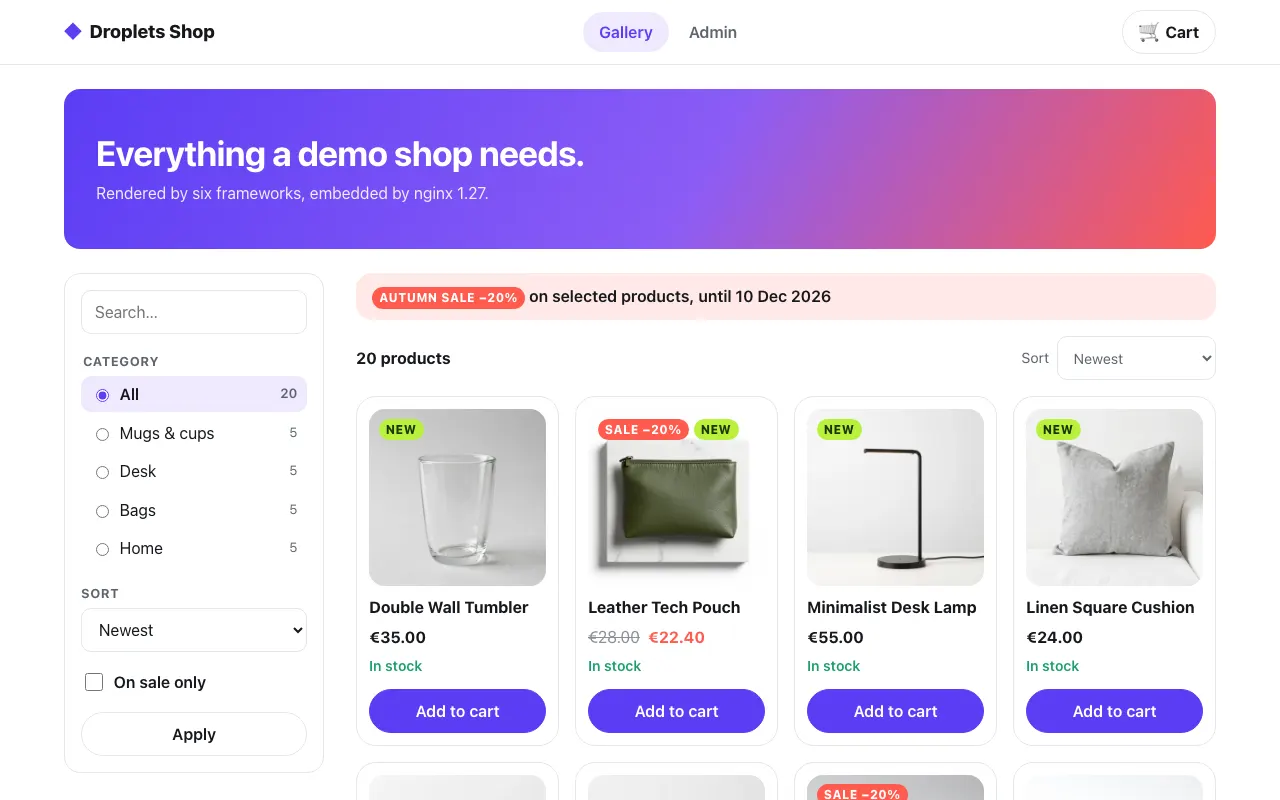 The gallery
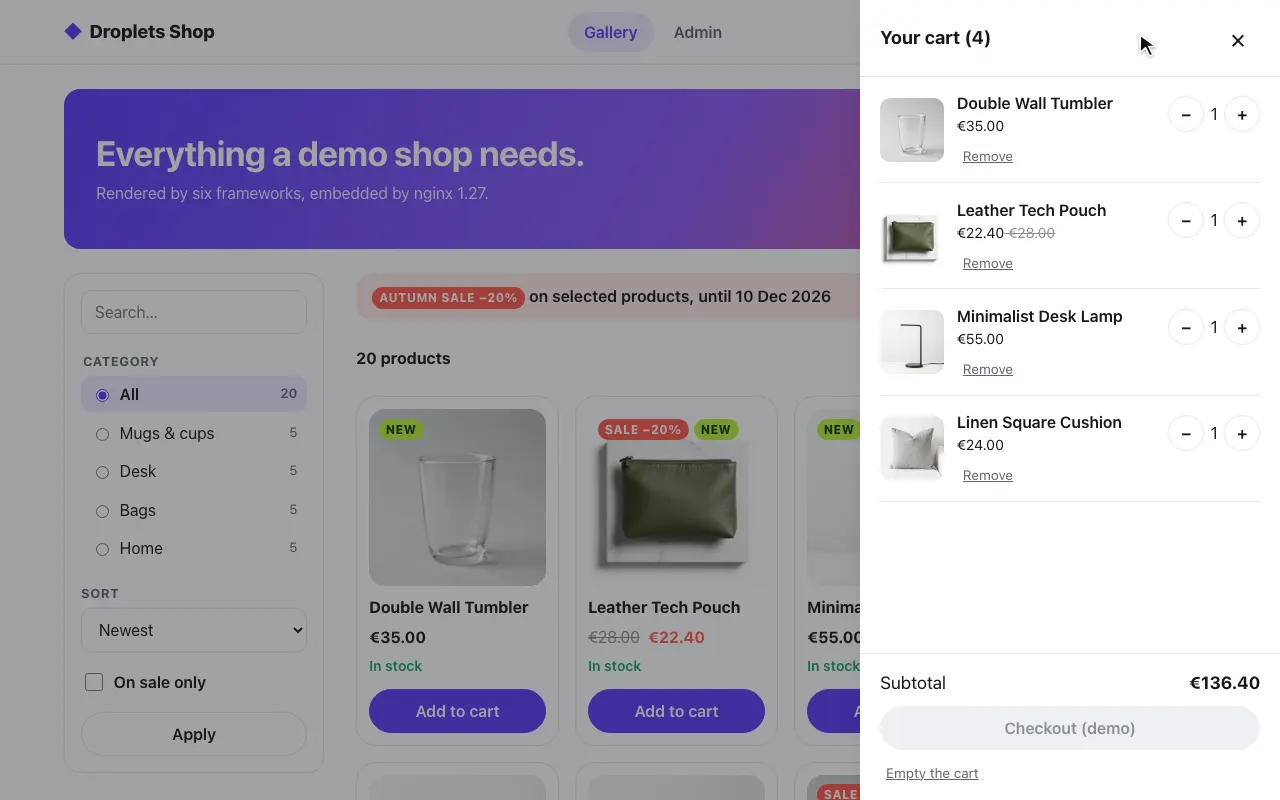 A product in the cart
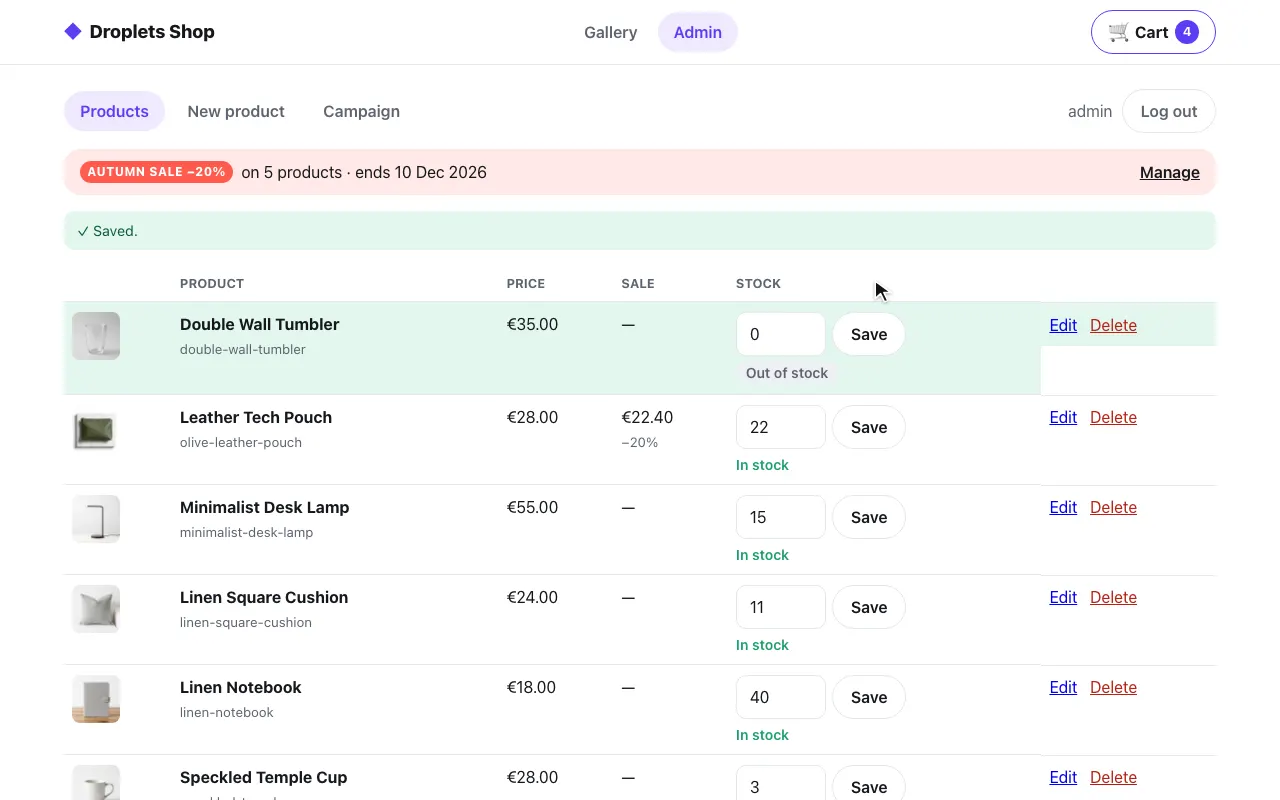 The admin: stock set to 0
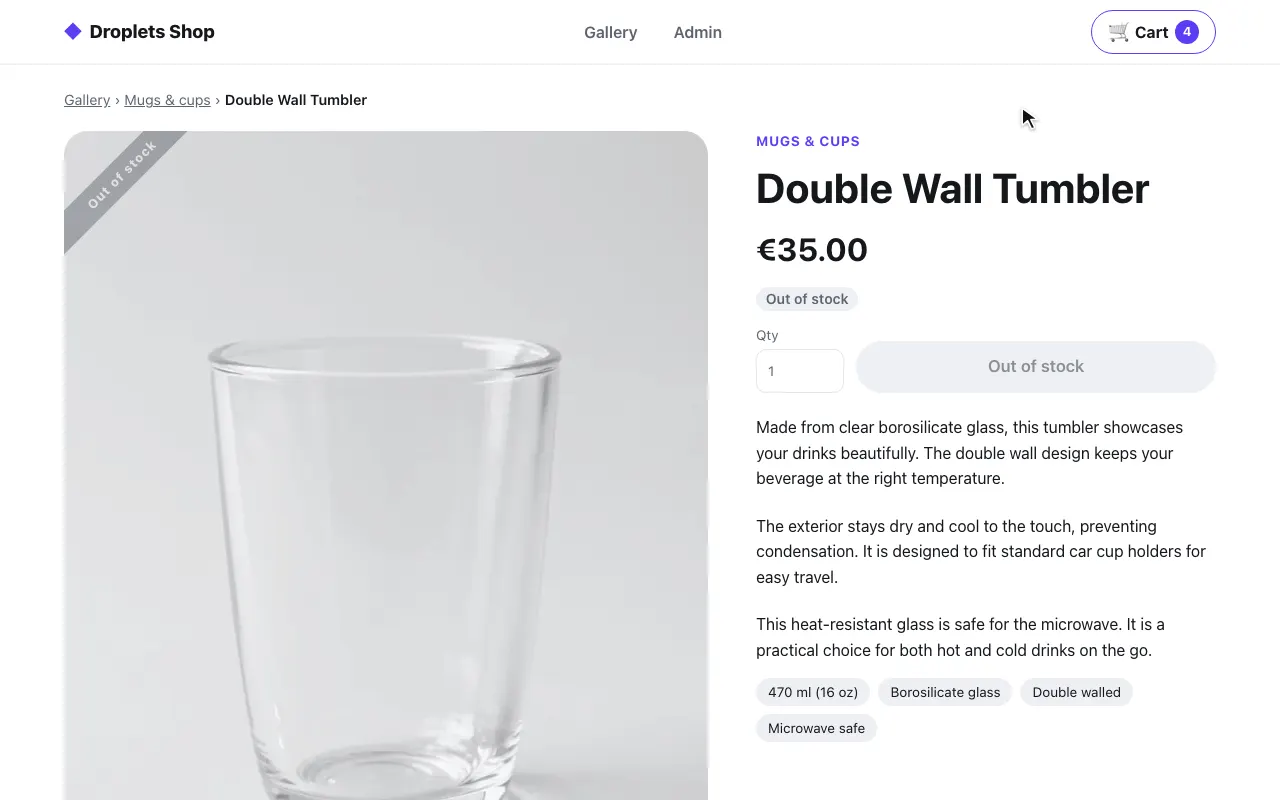 The product page: out of stock
Express
Section titled “Express”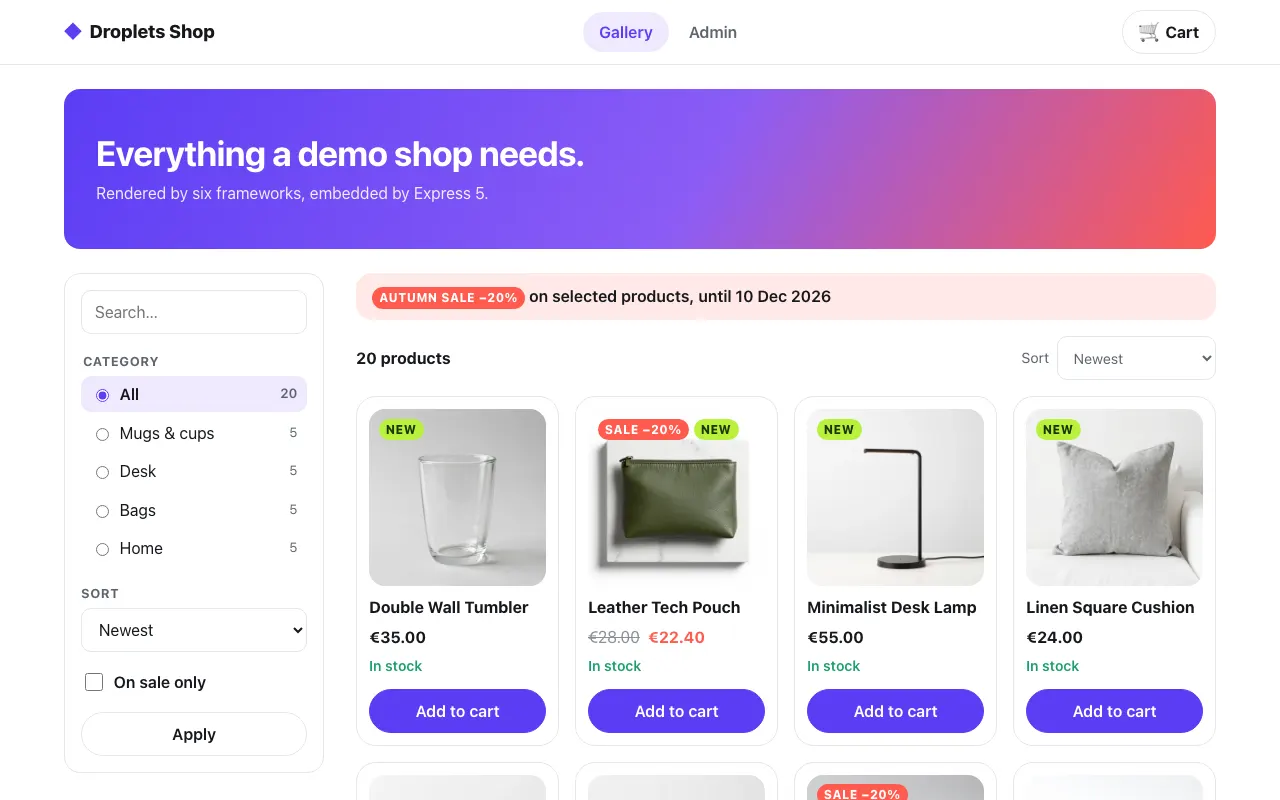 The gallery
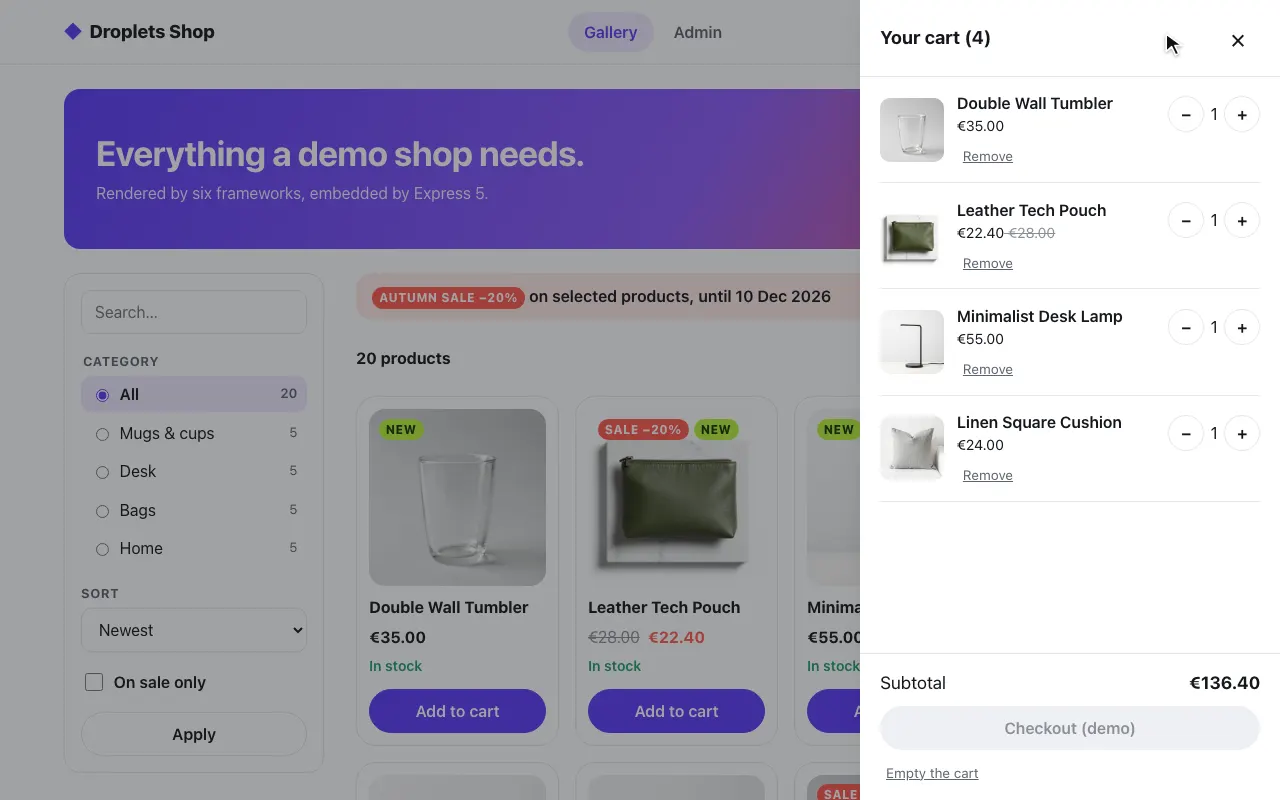 A product in the cart
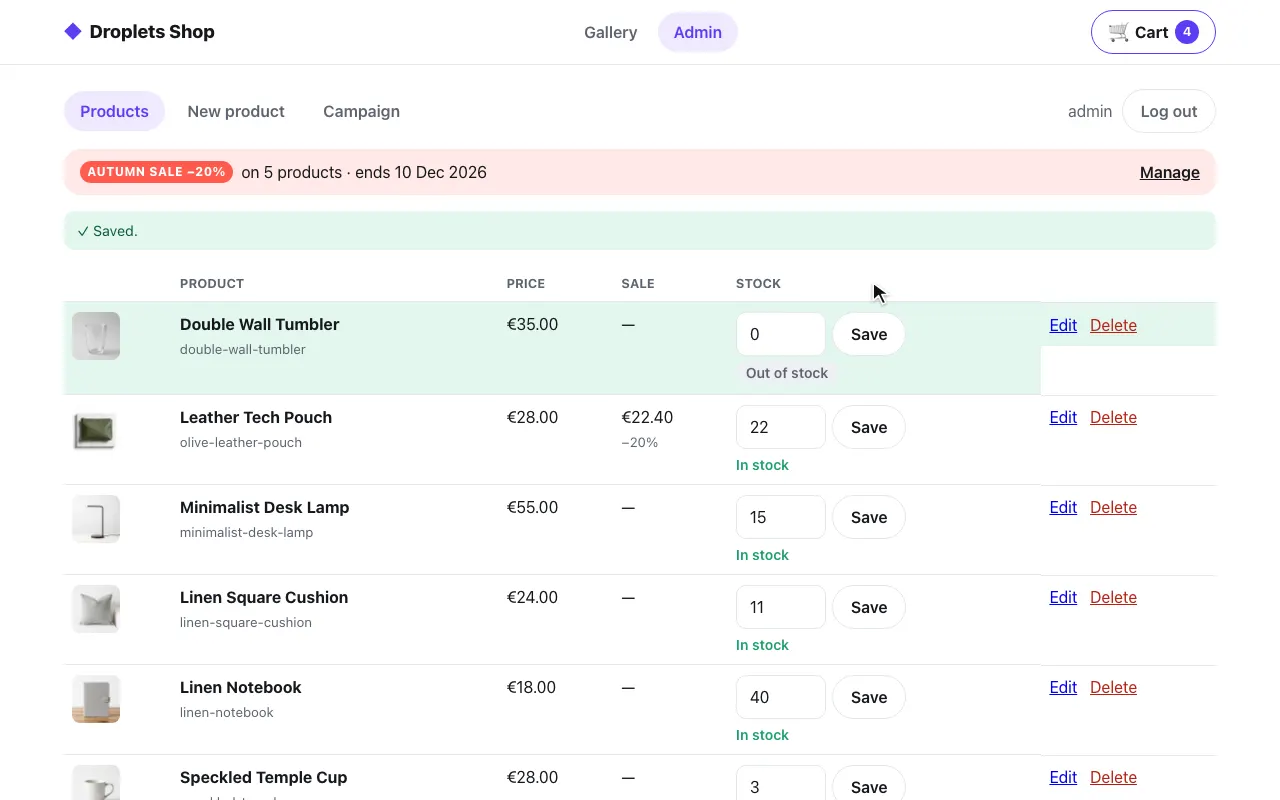 The admin: stock set to 0
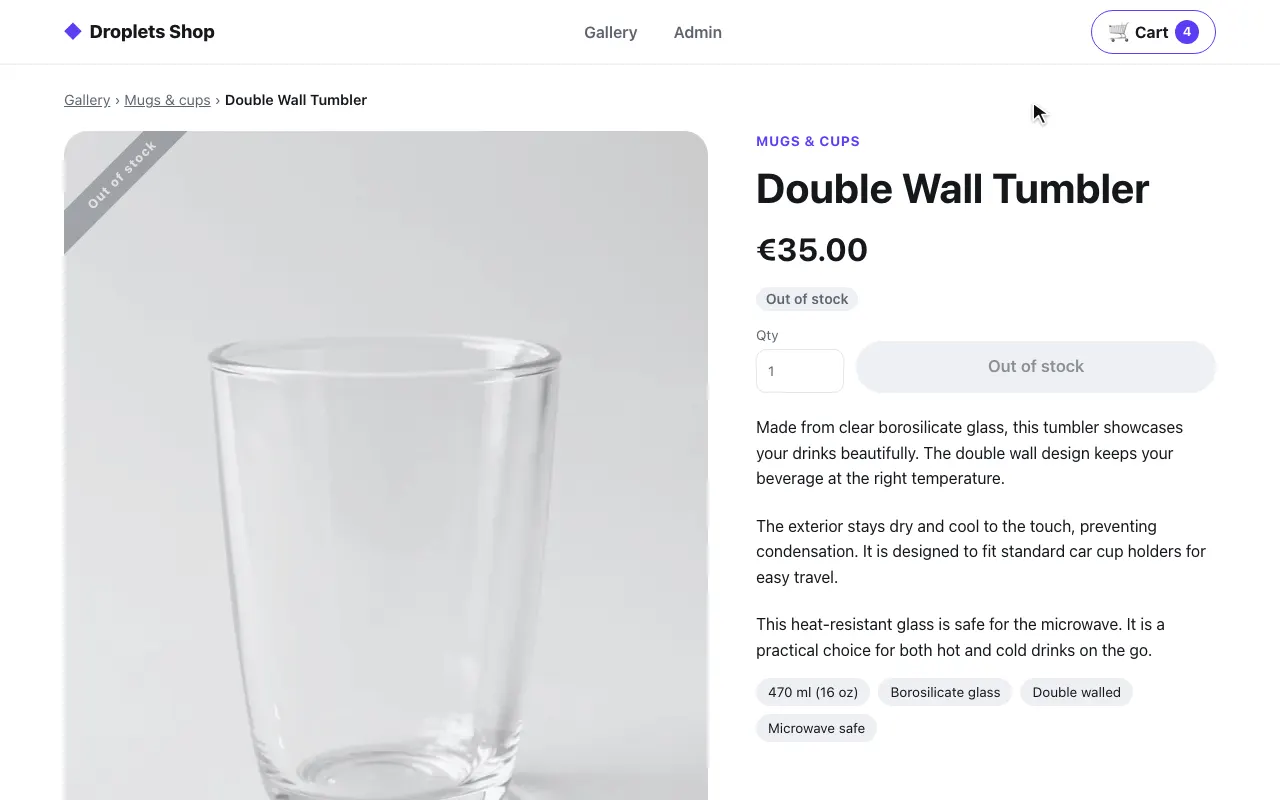 The product page: out of stock
FastAPI
Section titled “FastAPI”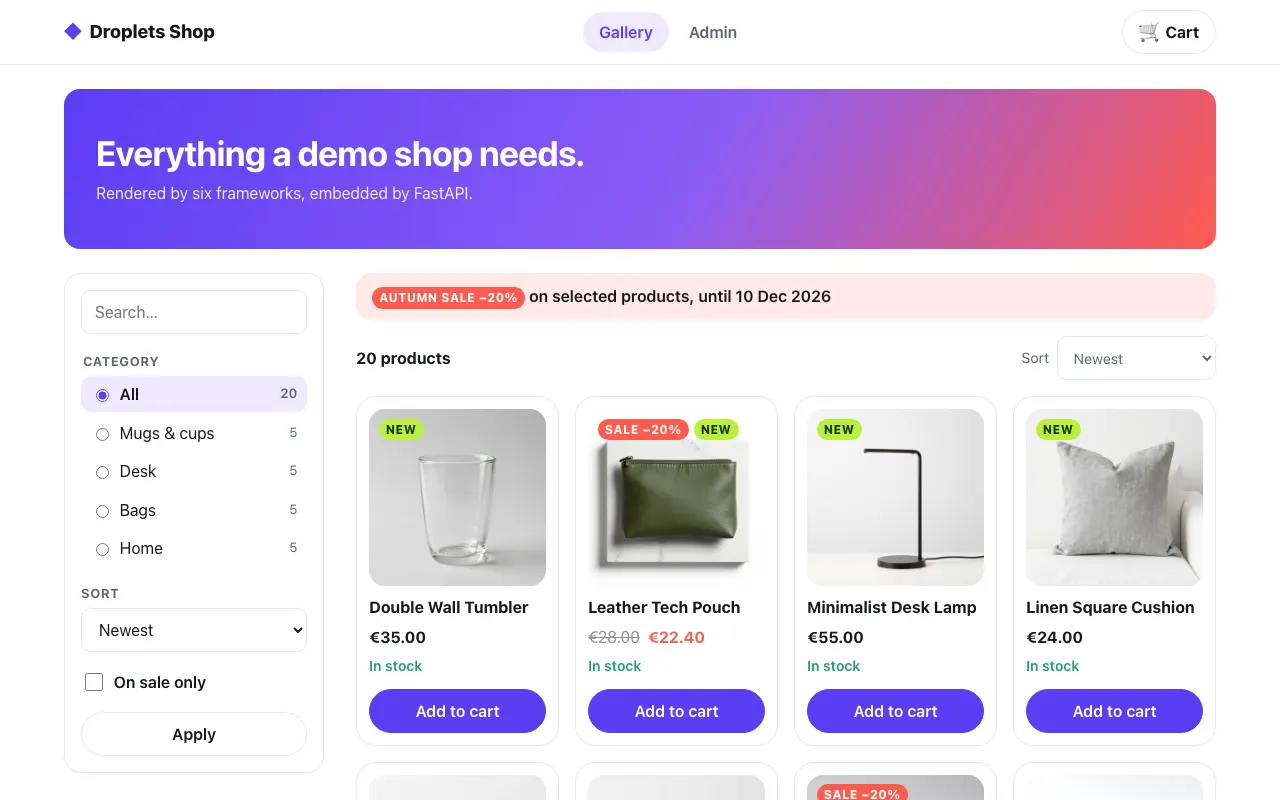 The gallery
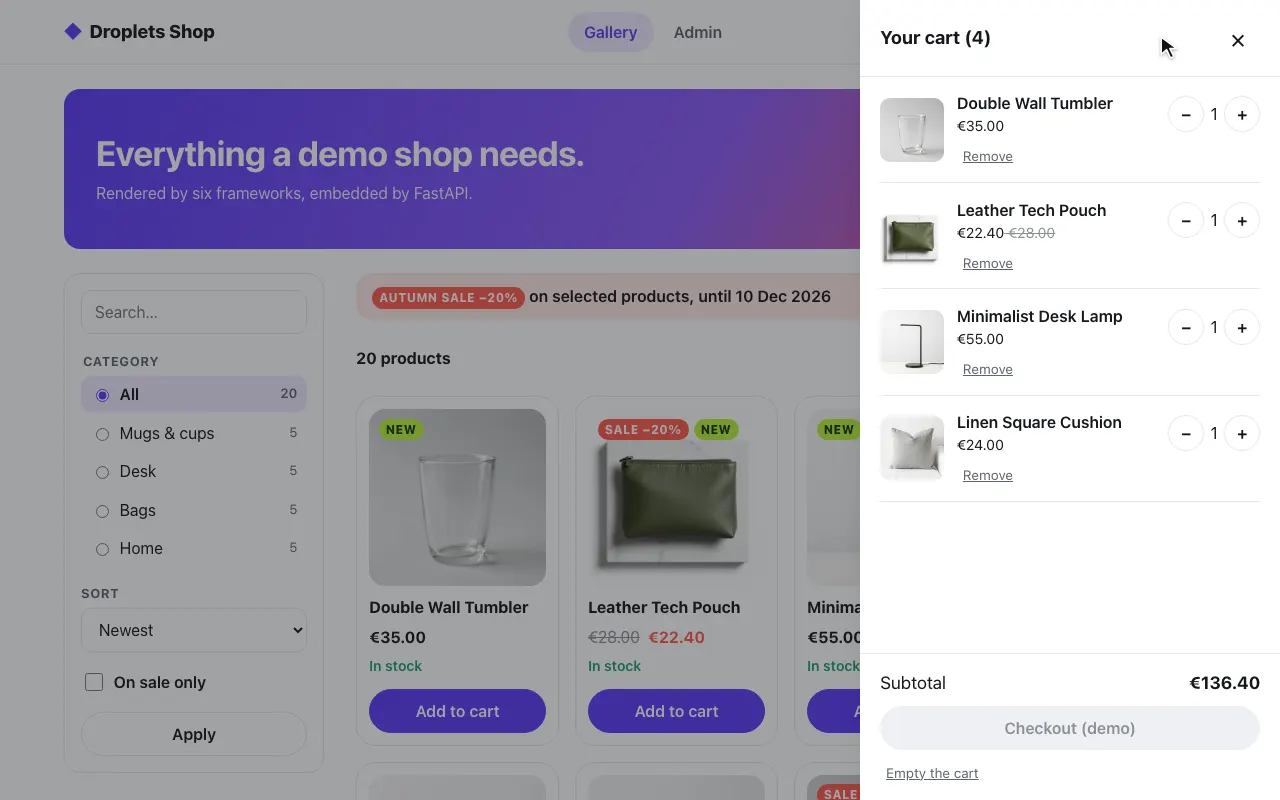 A product in the cart
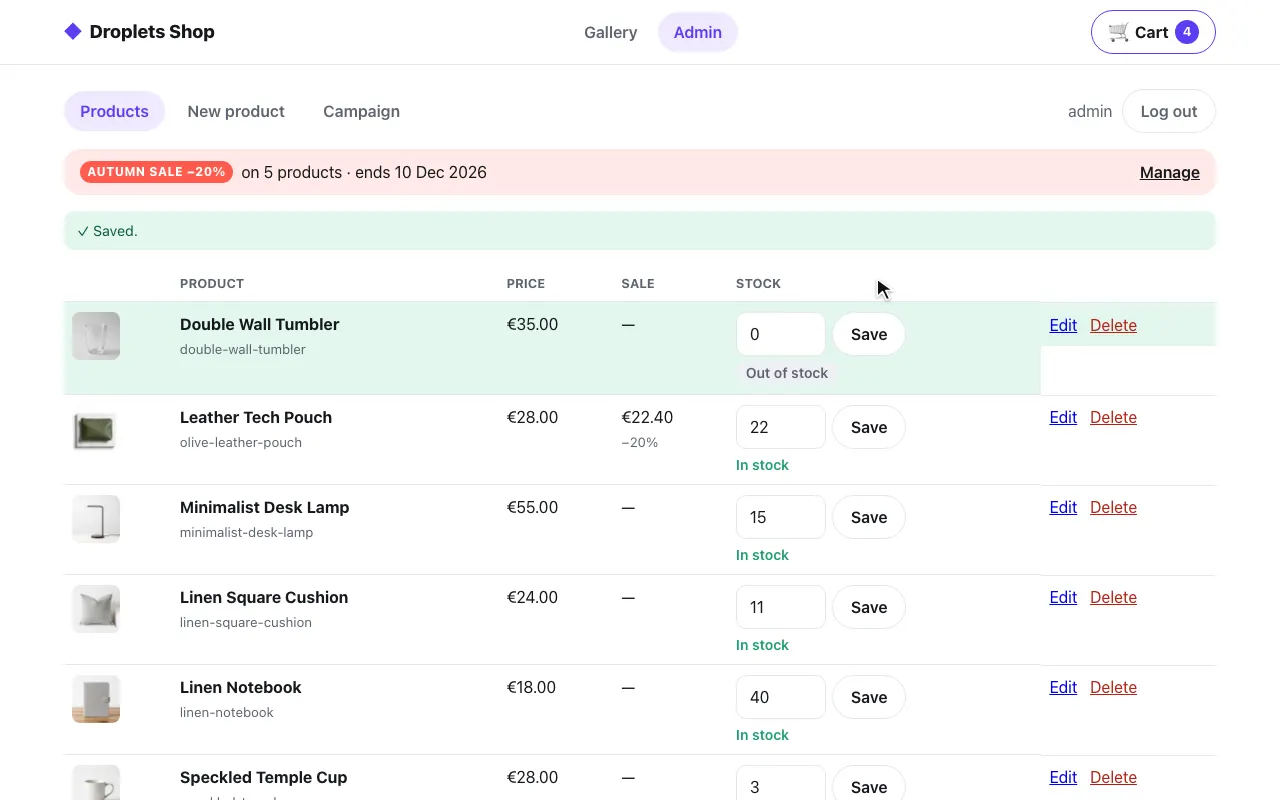 The admin: stock set to 0
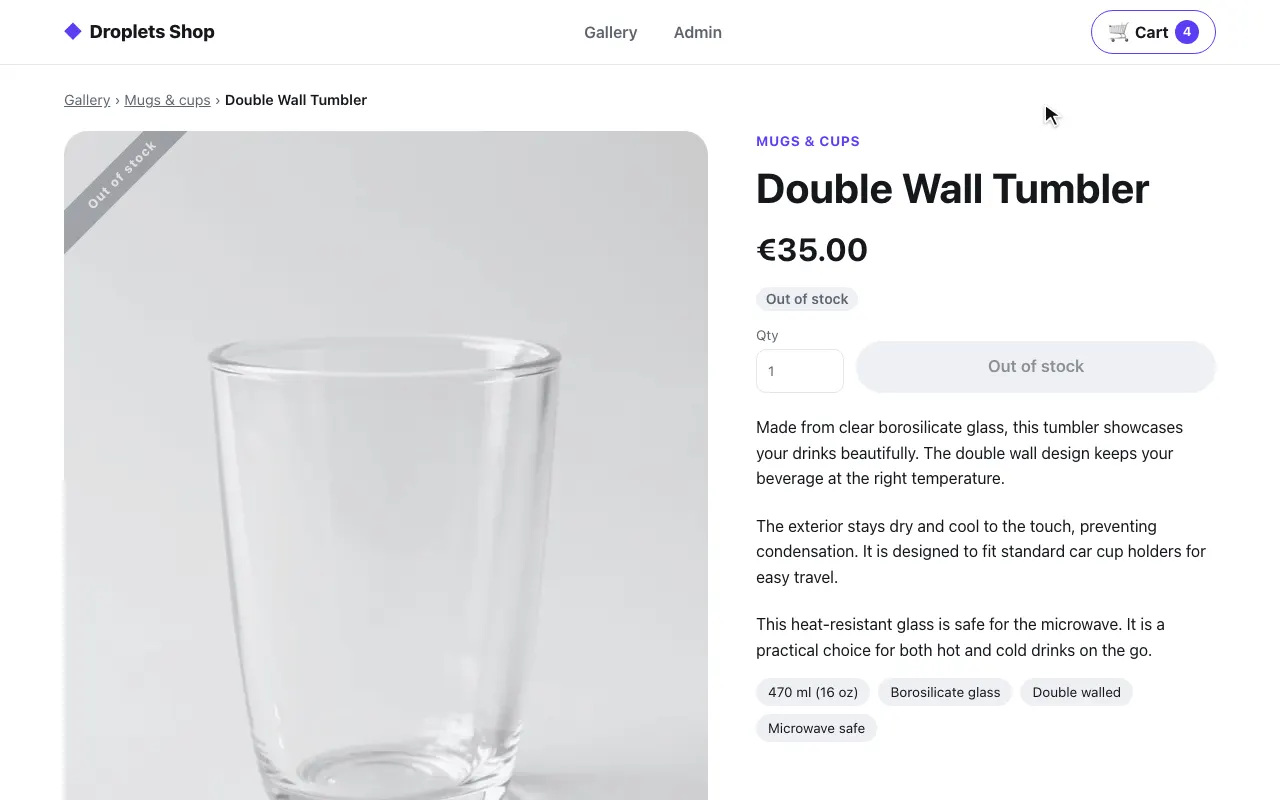 The product page: out of stock
Sinatra
Section titled “Sinatra”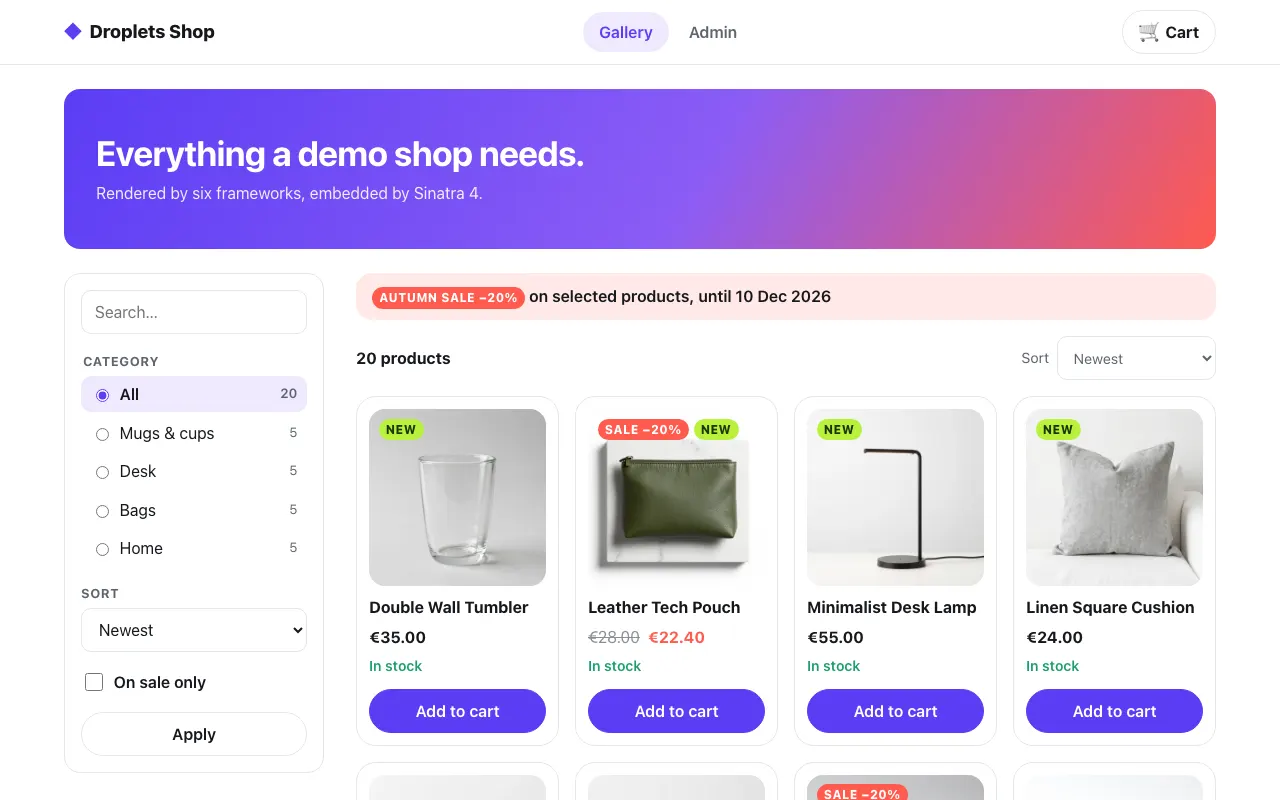 The gallery
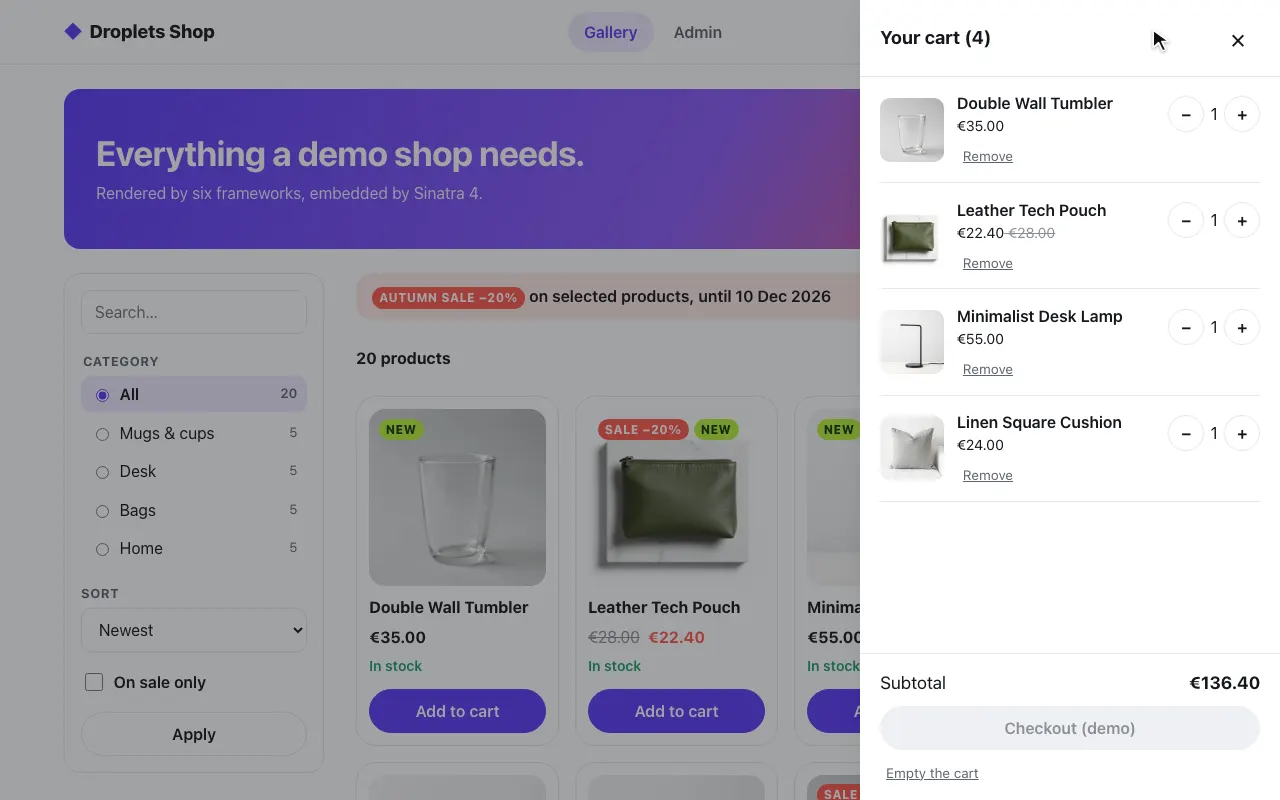 A product in the cart
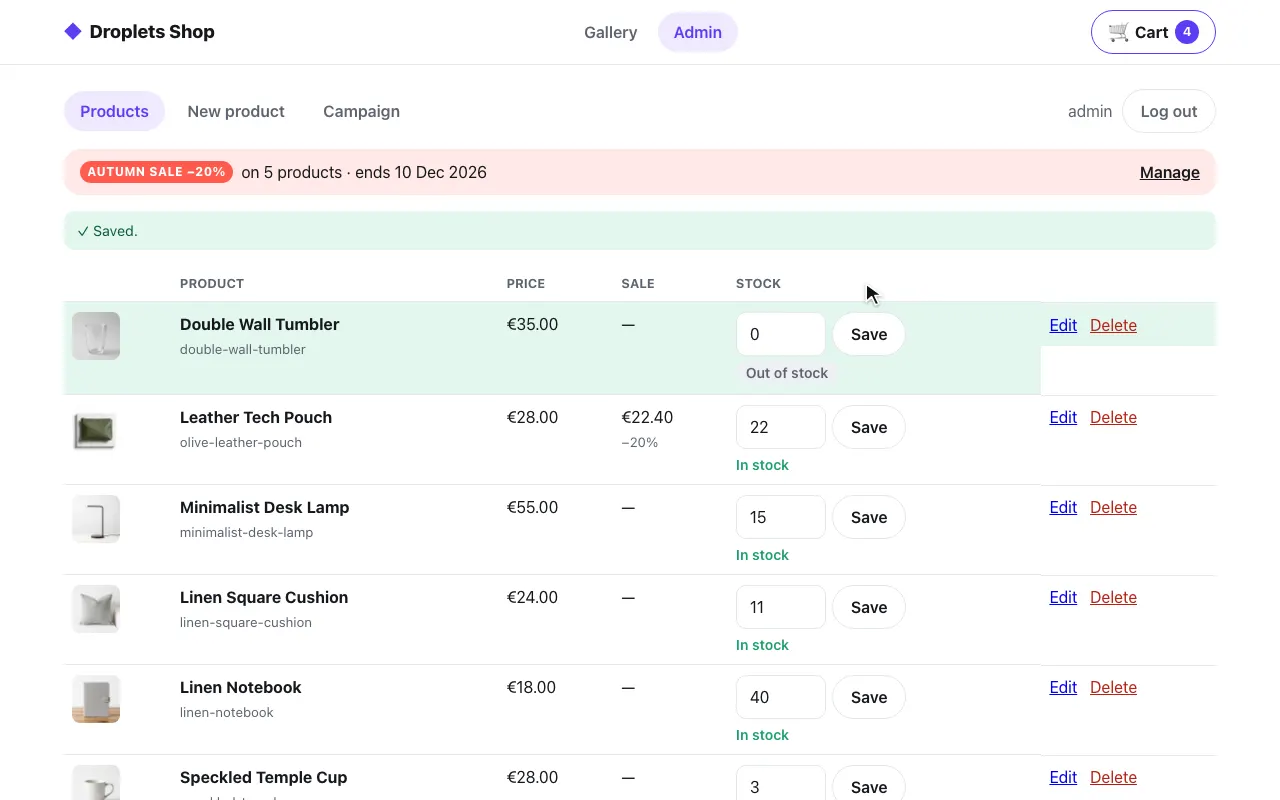 The admin: stock set to 0
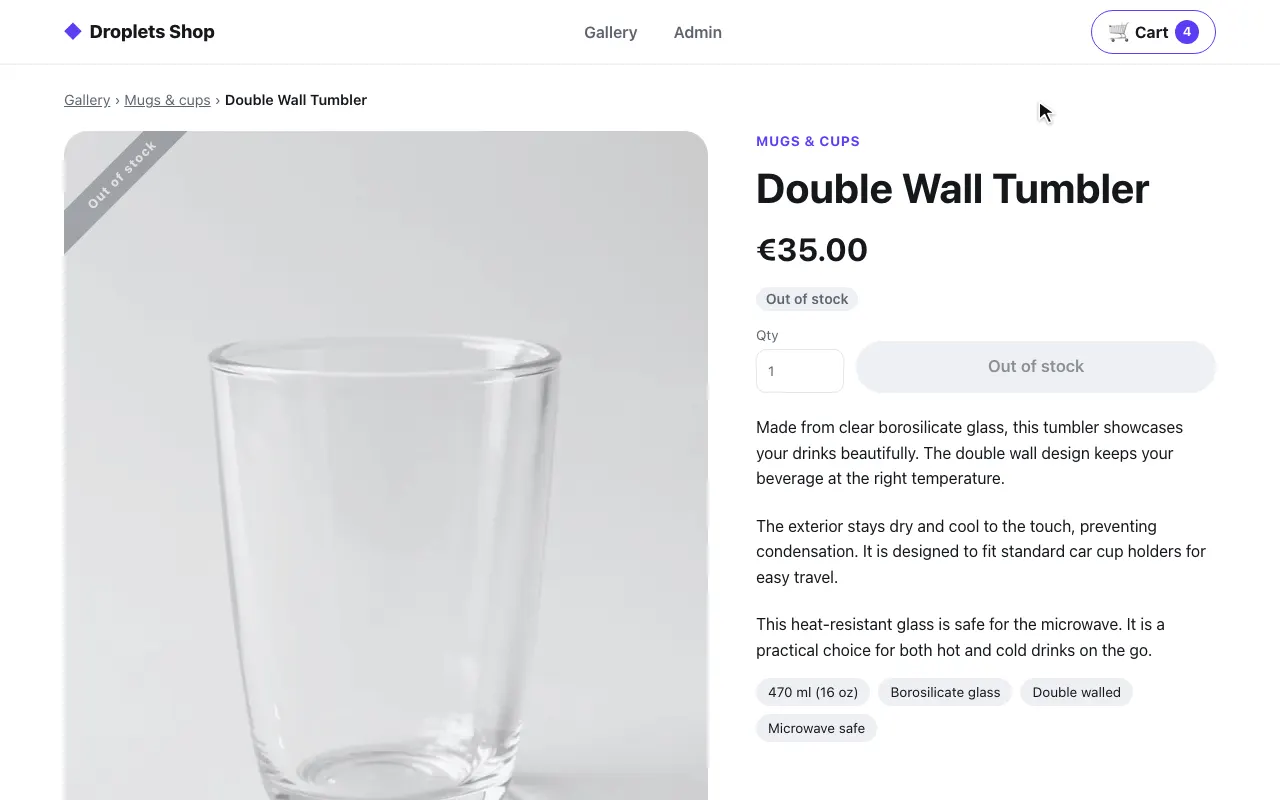 The product page: out of stock
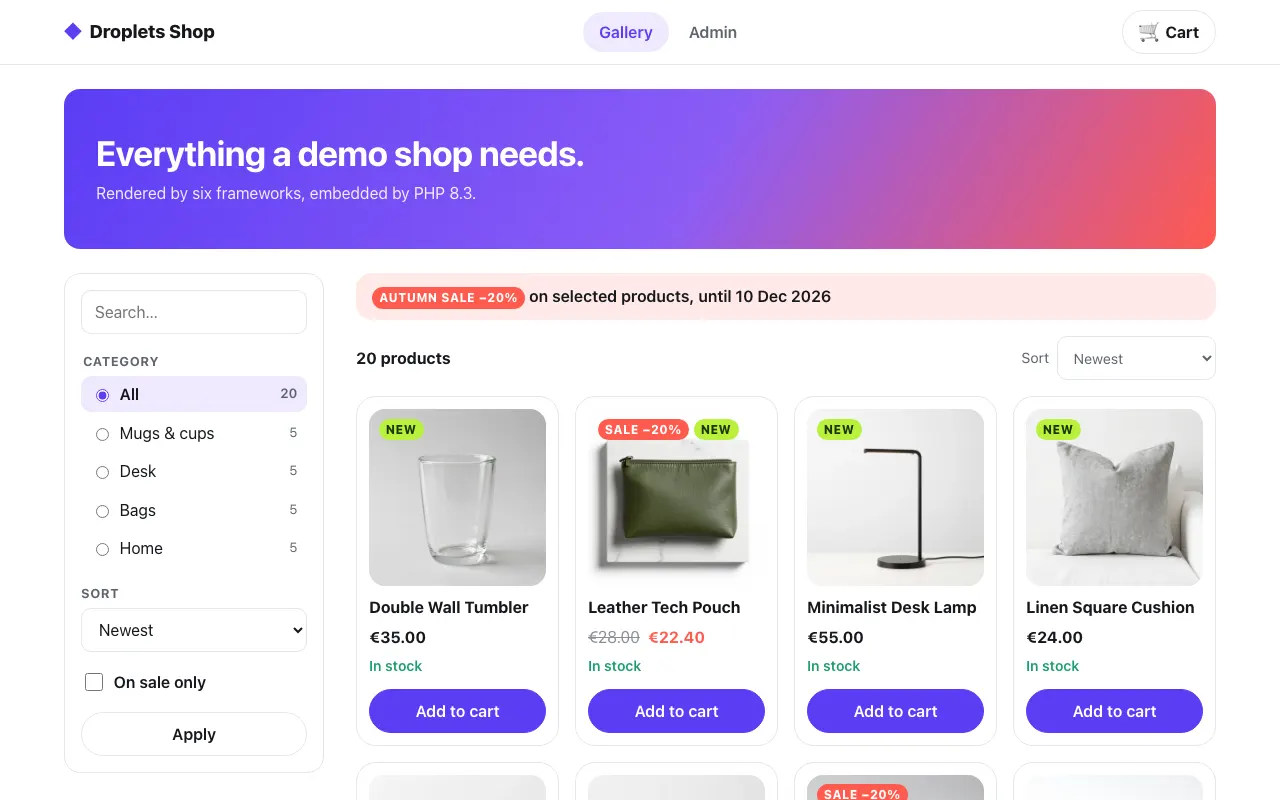 The gallery
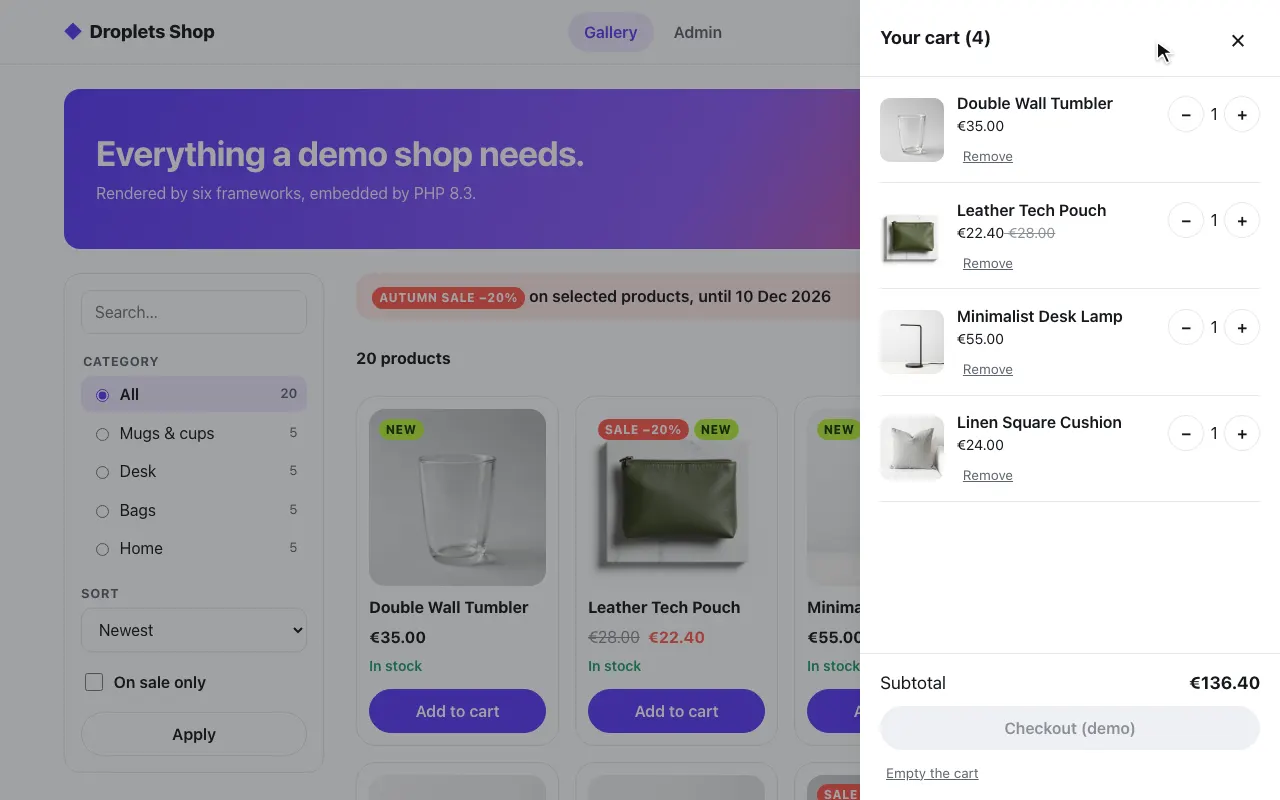 A product in the cart
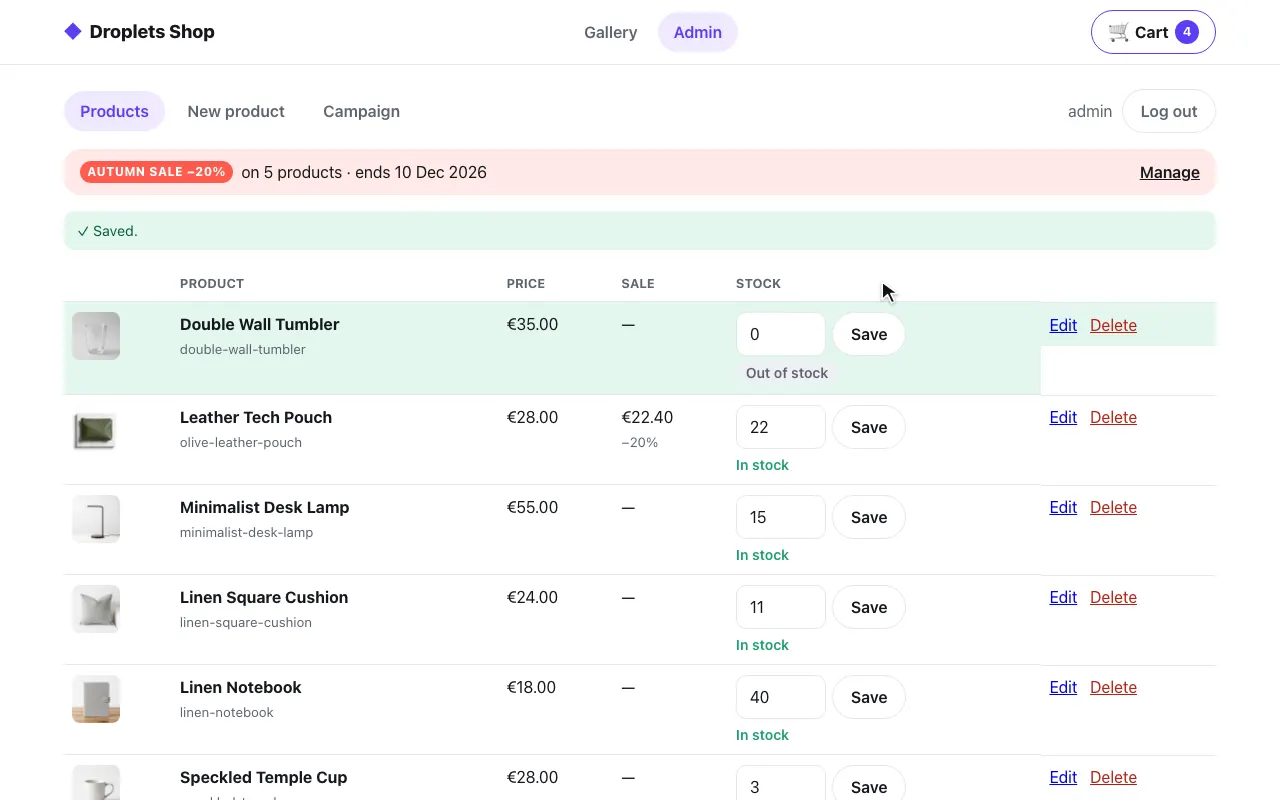 The admin: stock set to 0
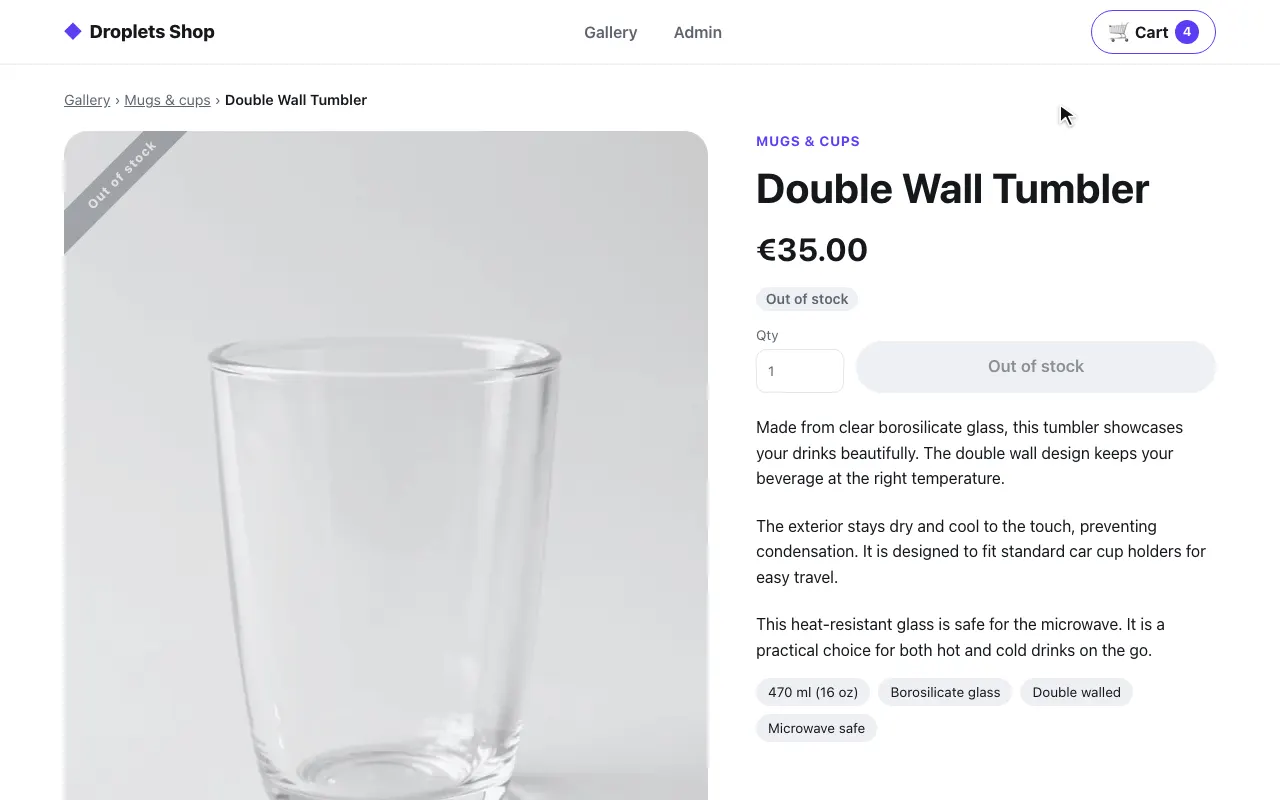 The product page: out of stock
React + Vite
Section titled “React + Vite”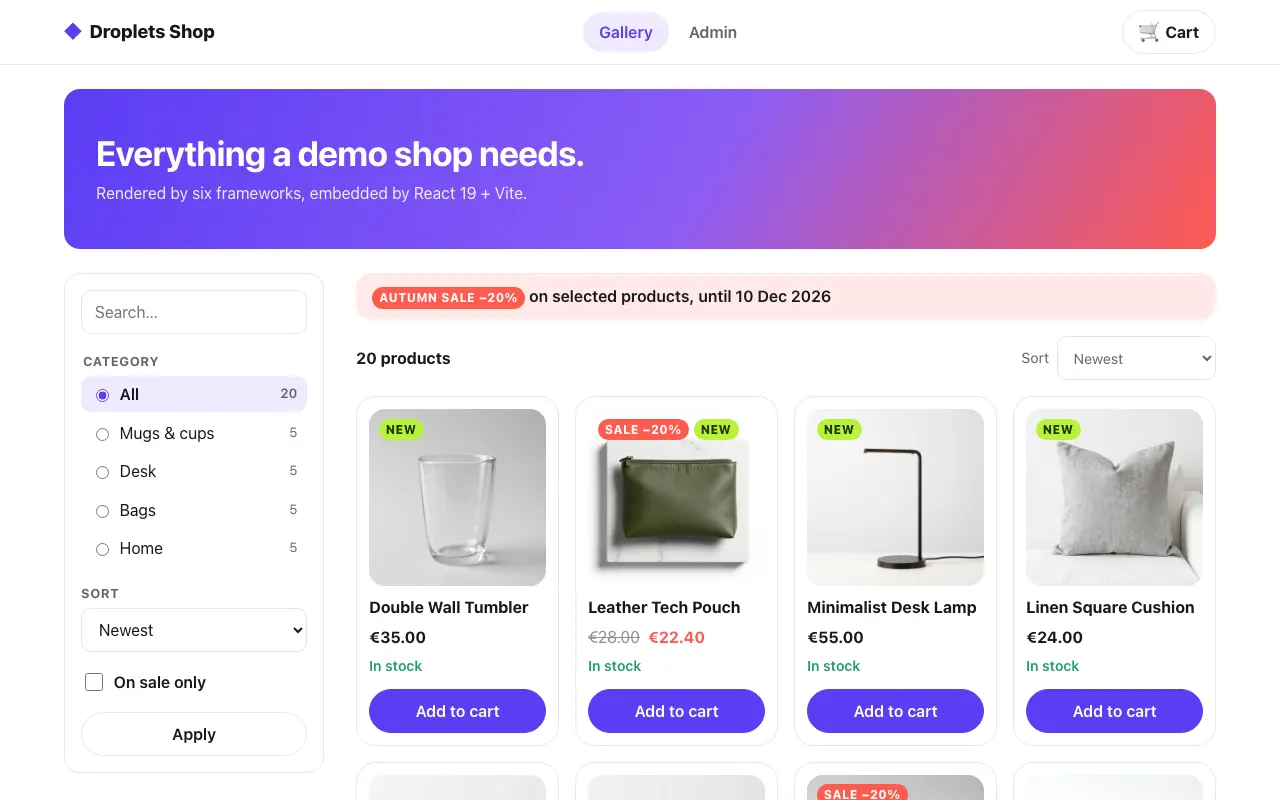 The gallery
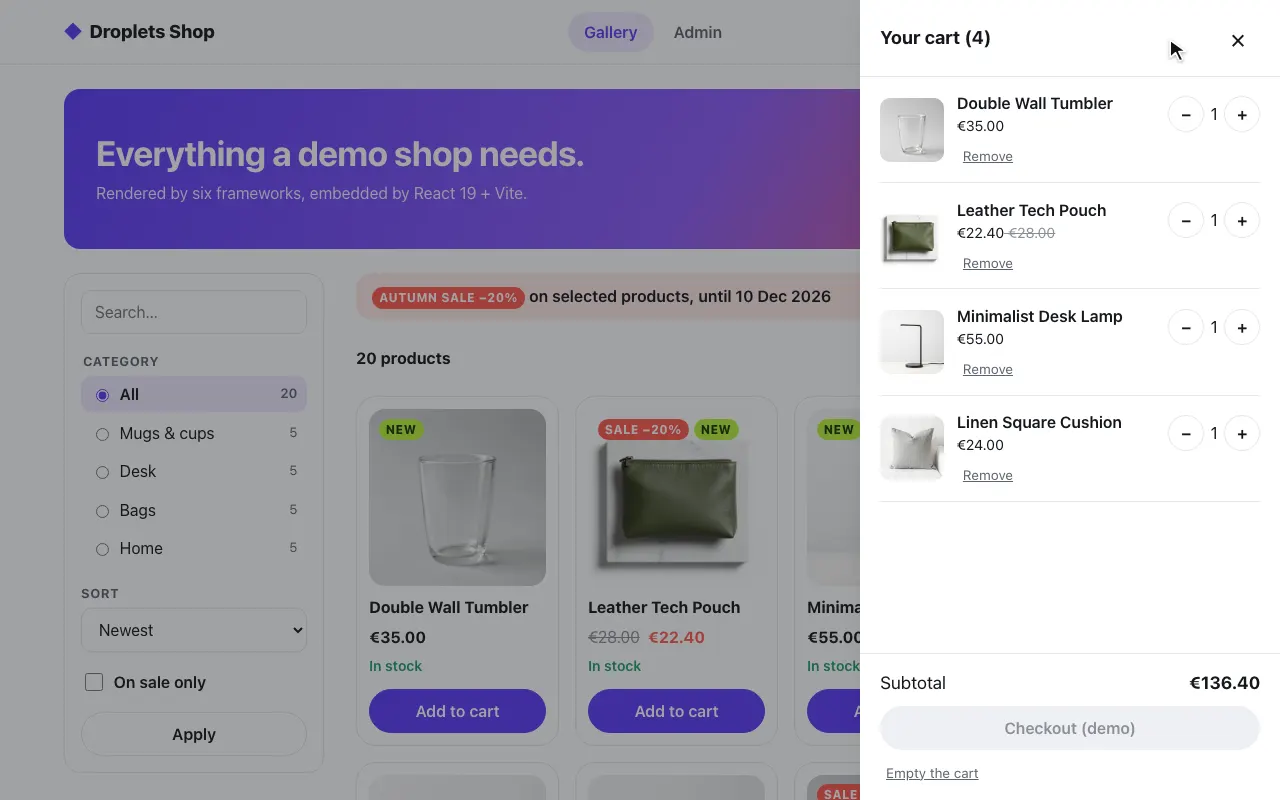 A product in the cart
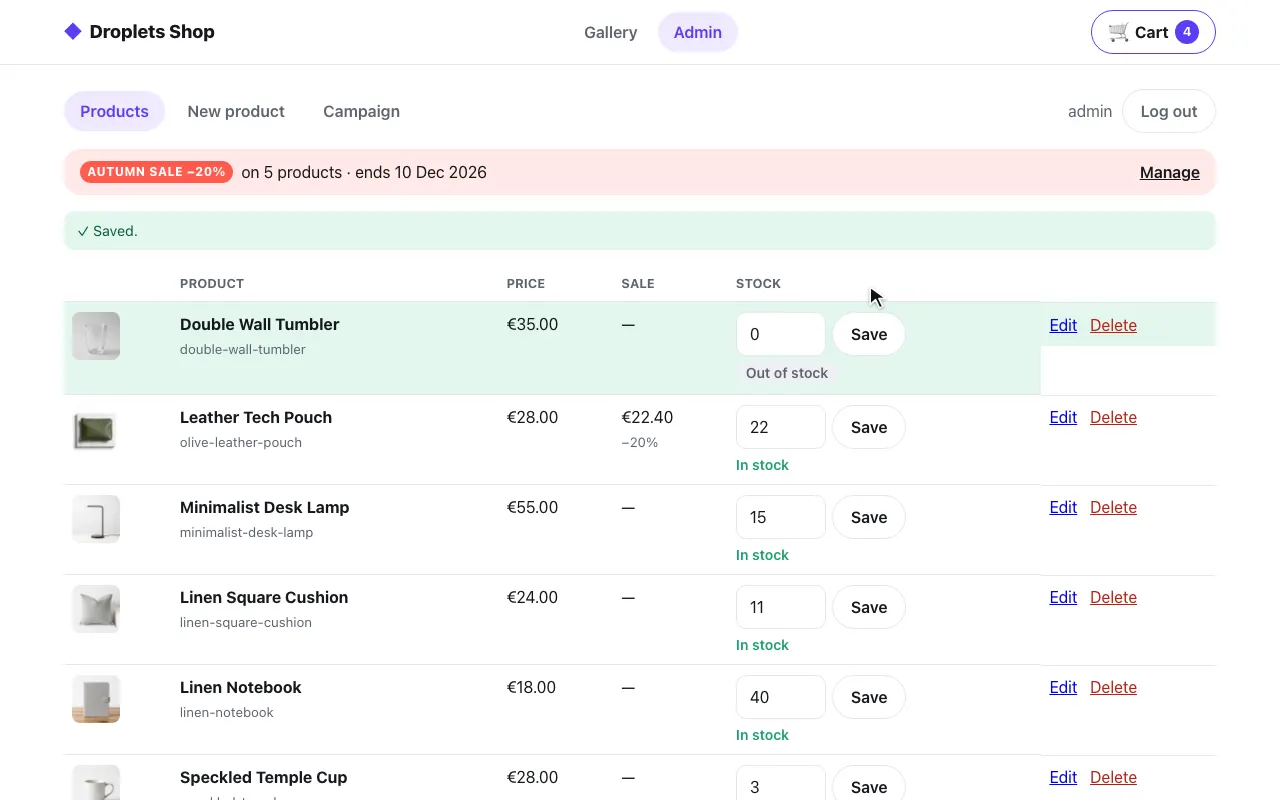 The admin: stock set to 0
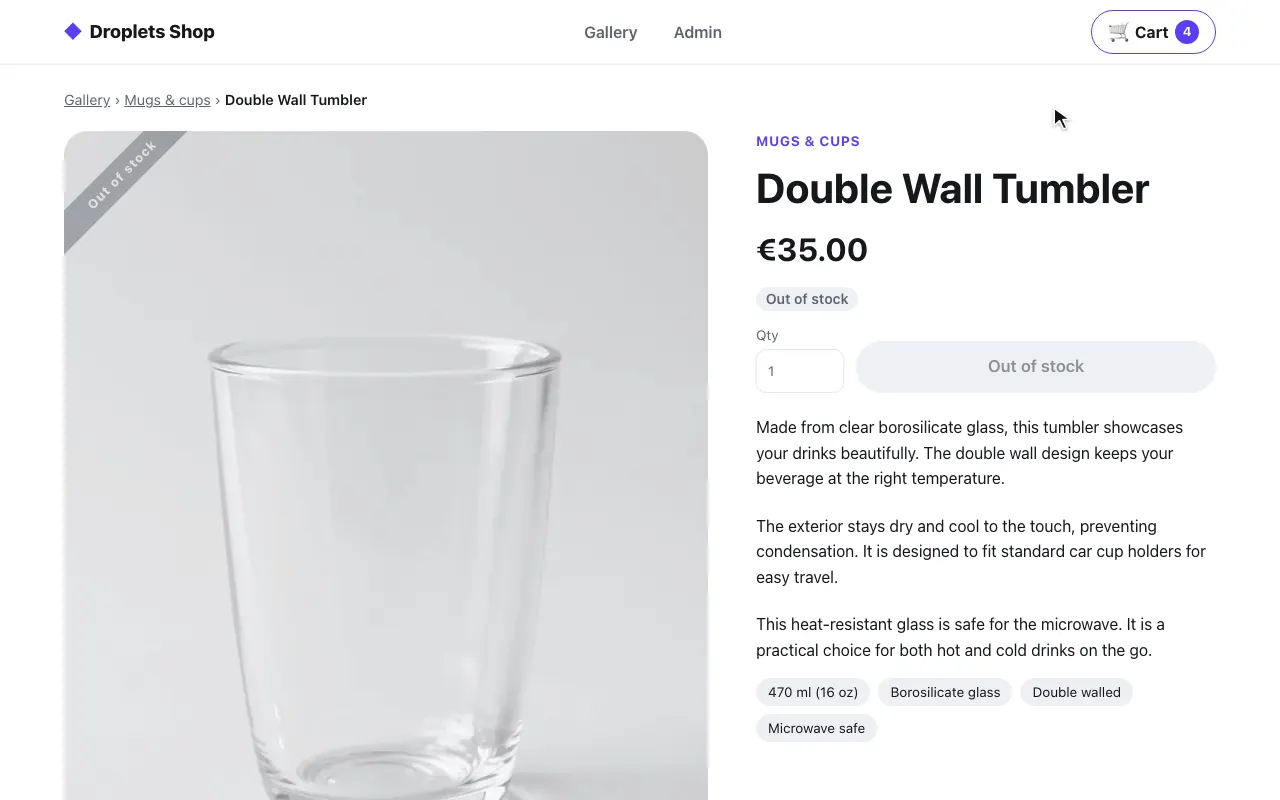 The product page: out of stock
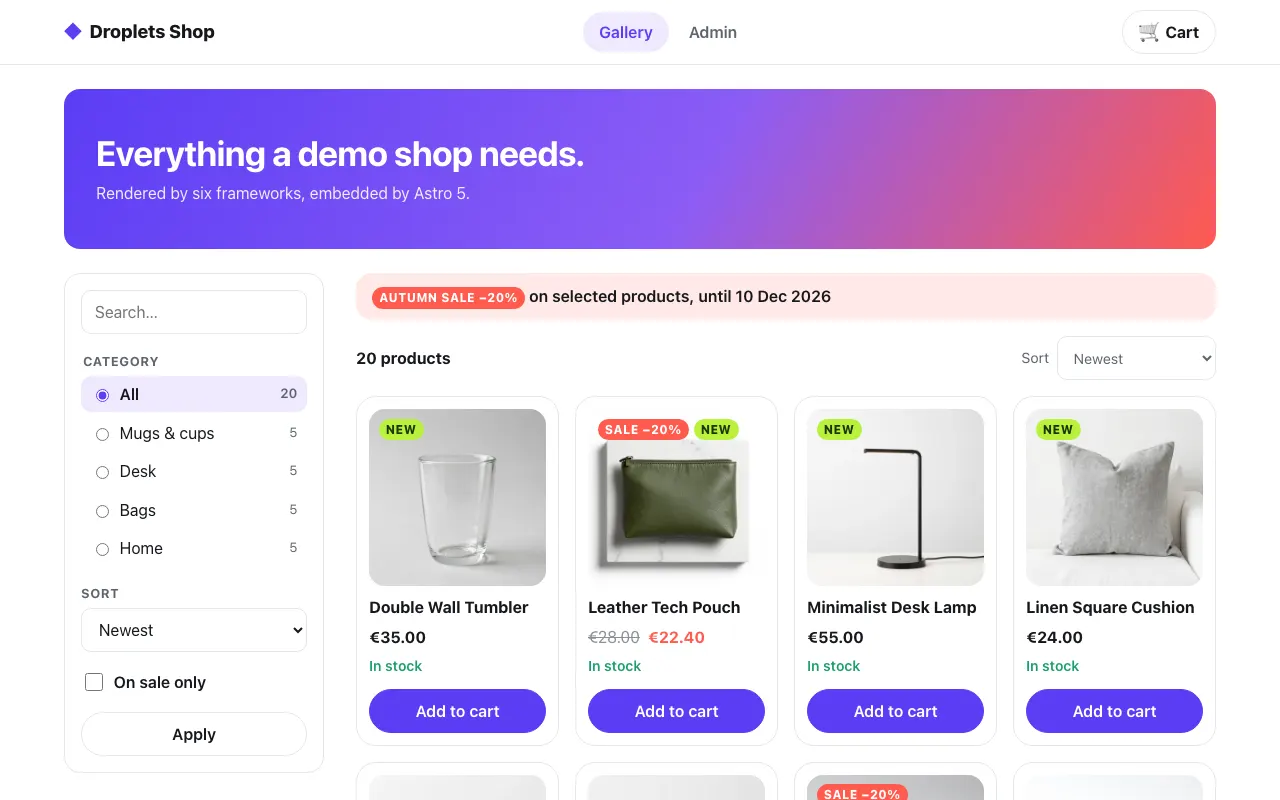 The gallery
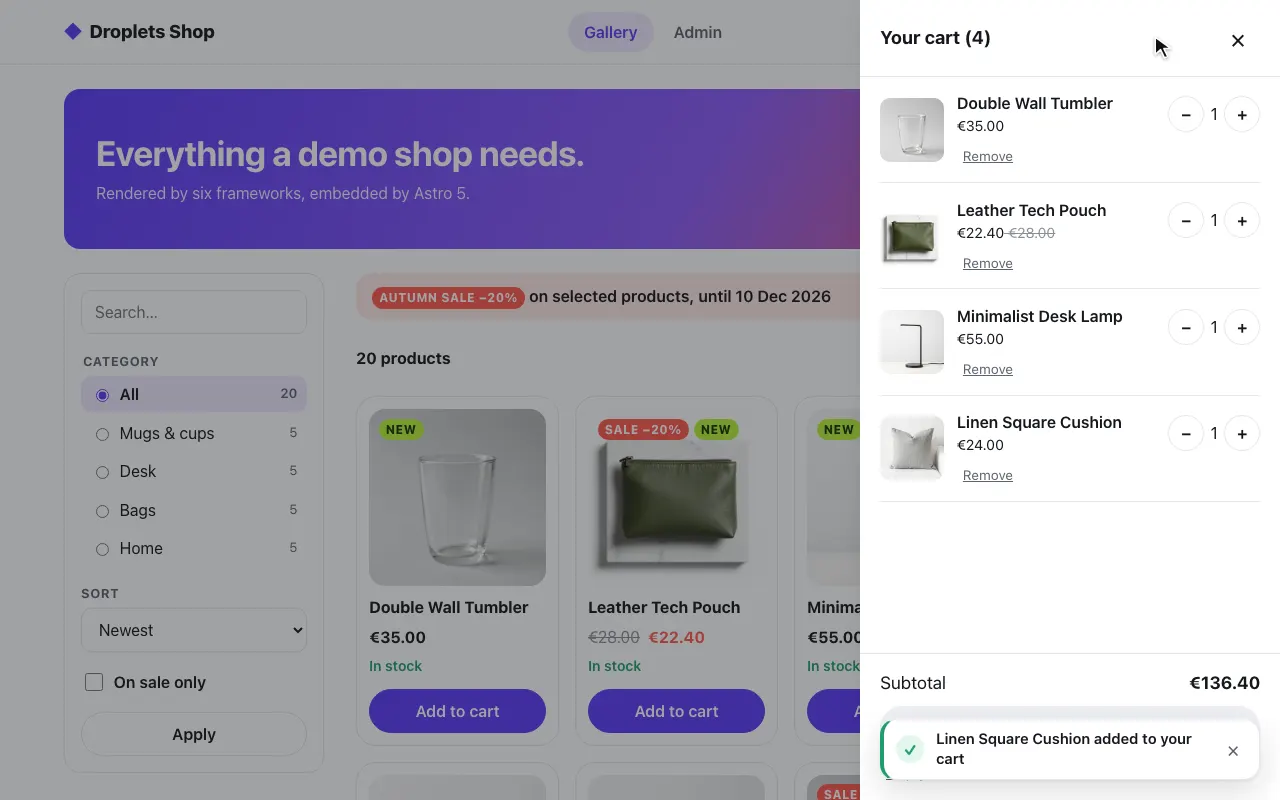 A product in the cart
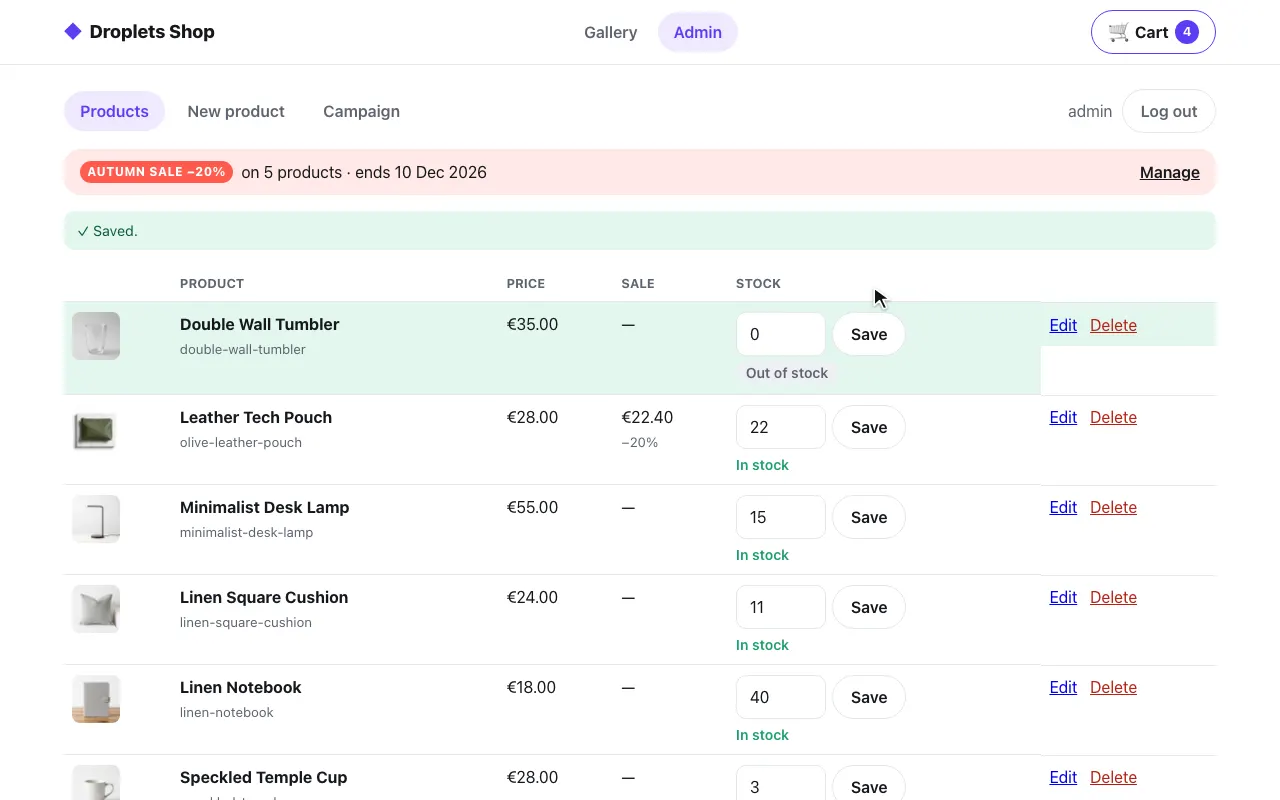 The admin: stock set to 0
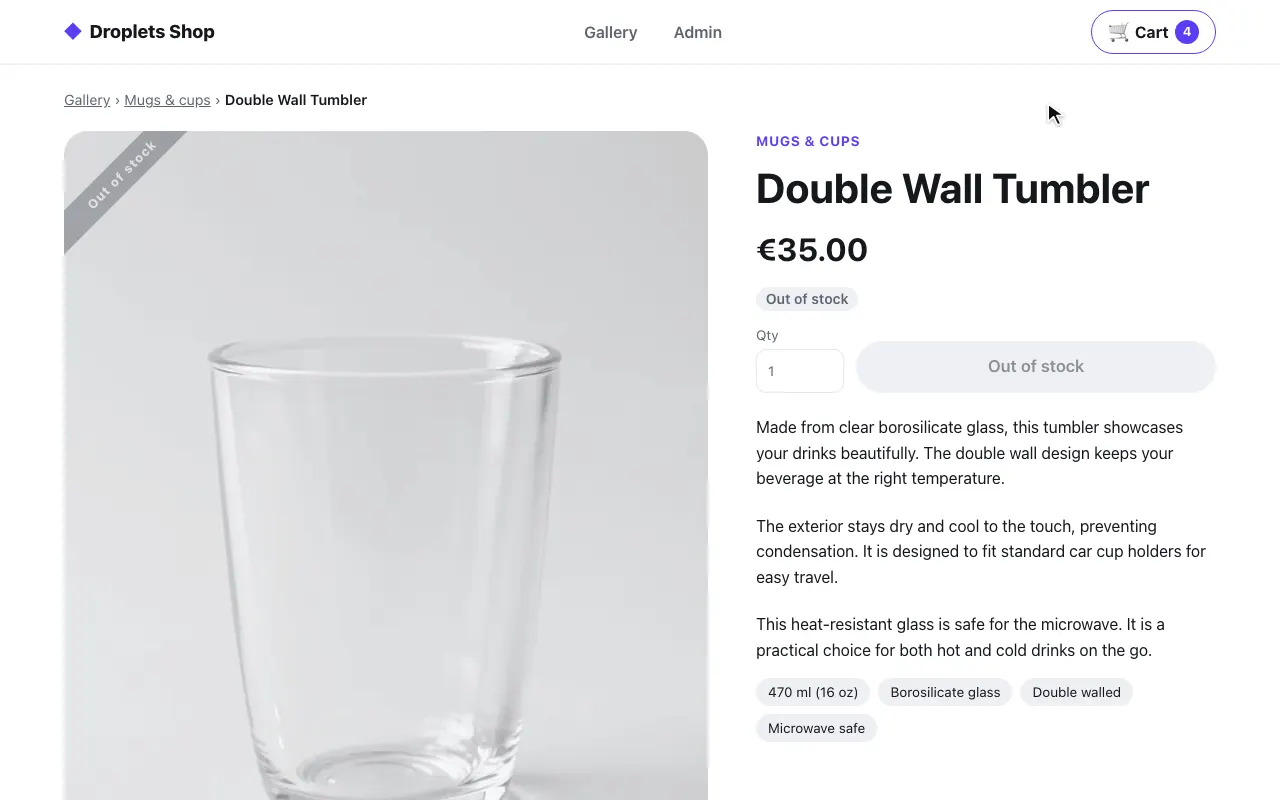 The product page: out of stock
SvelteKit
Section titled “SvelteKit”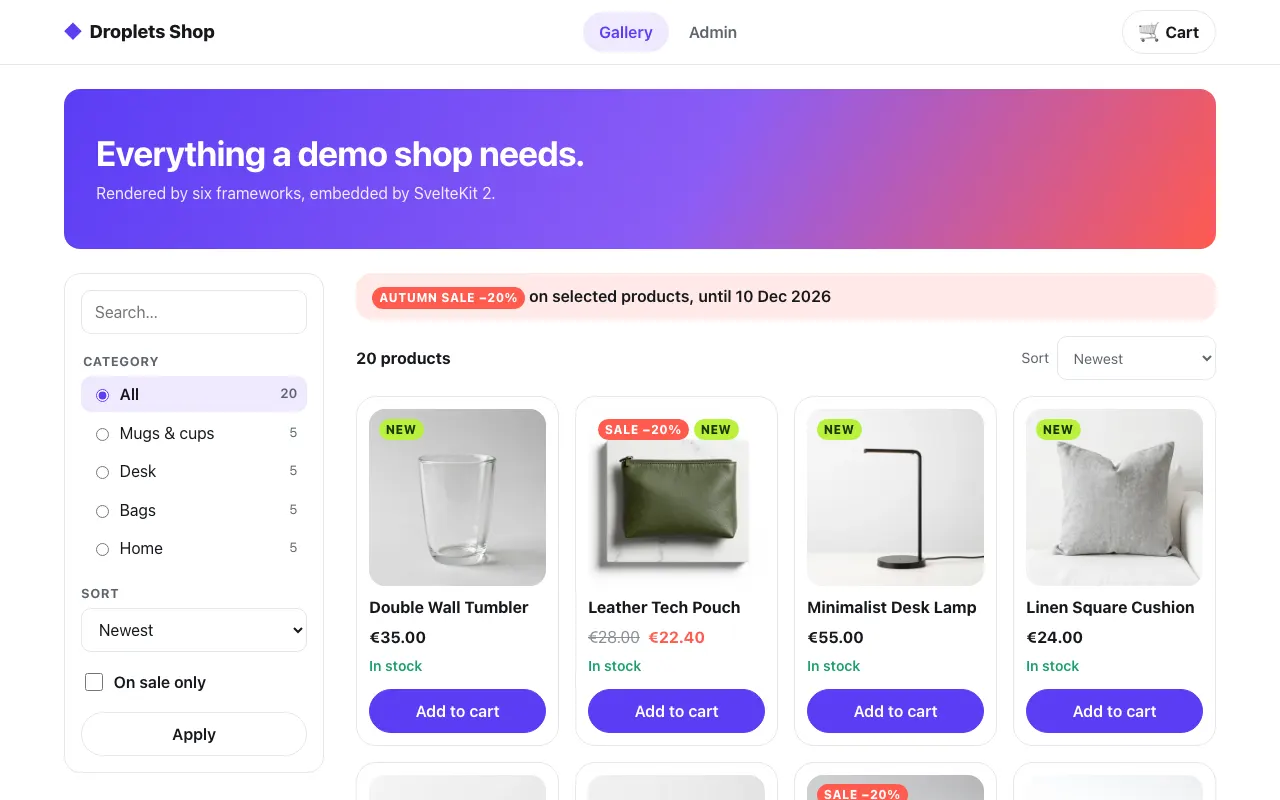 The gallery
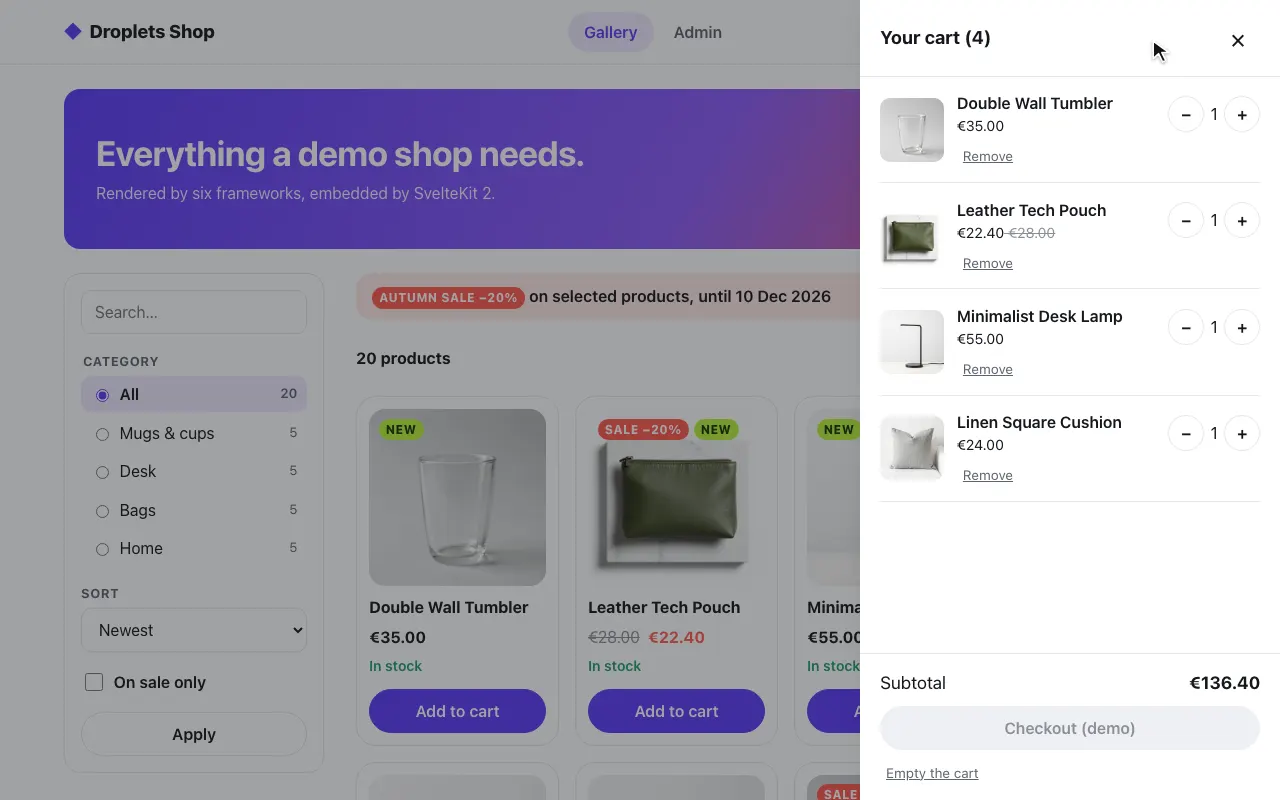 A product in the cart
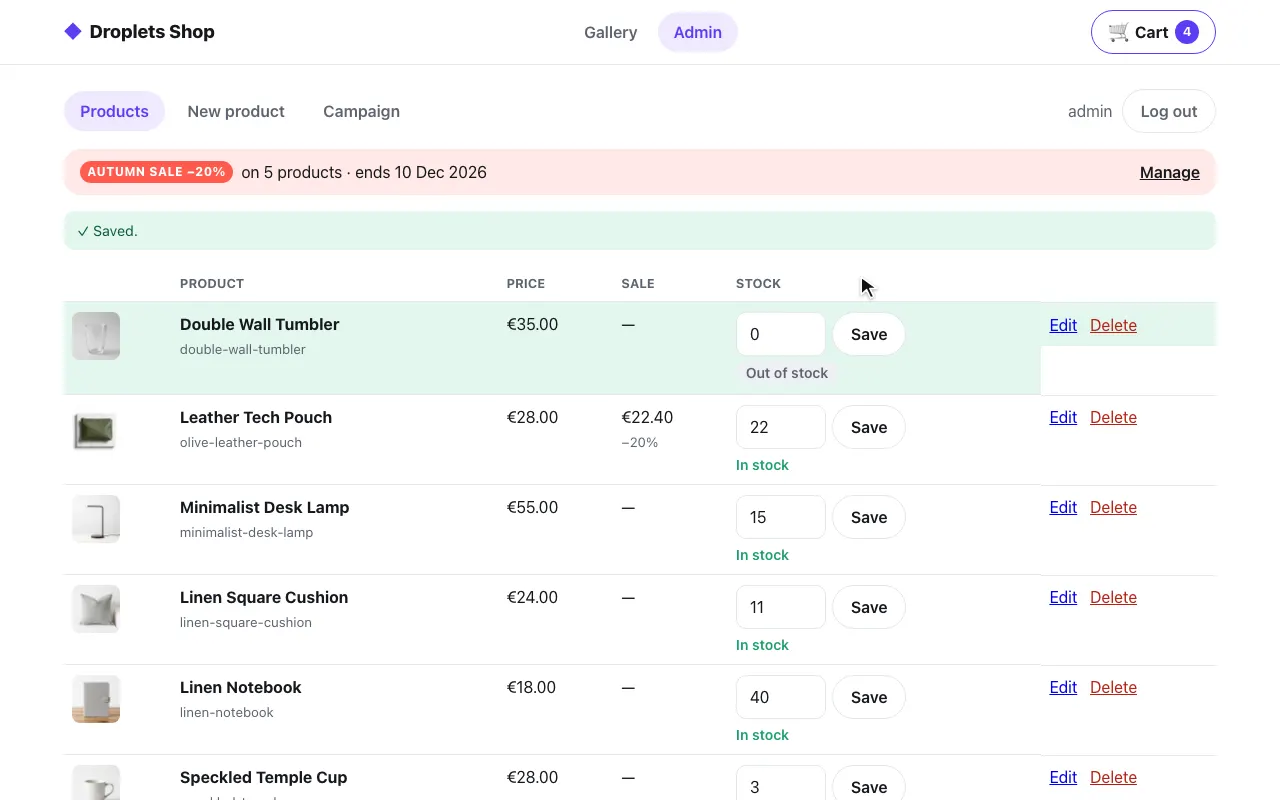 The admin: stock set to 0
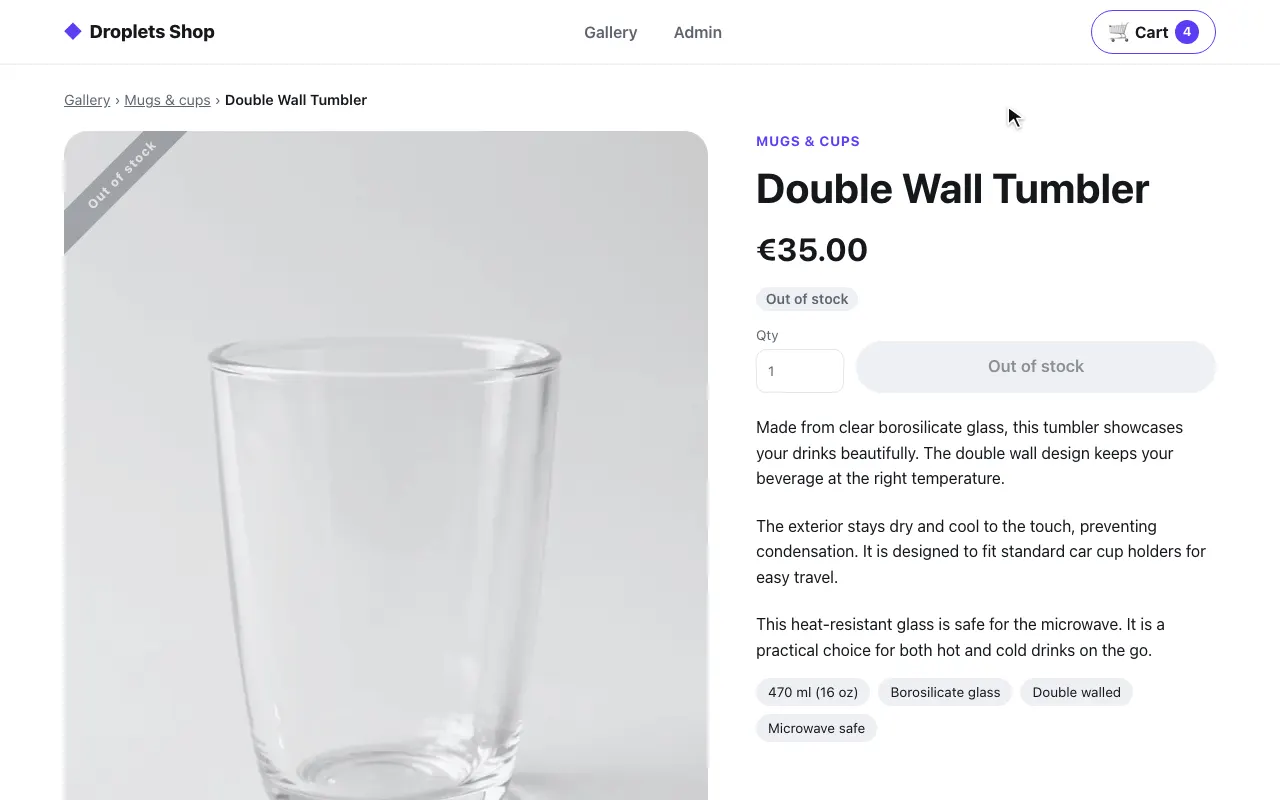 The product page: out of stock
Next.js
Section titled “Next.js”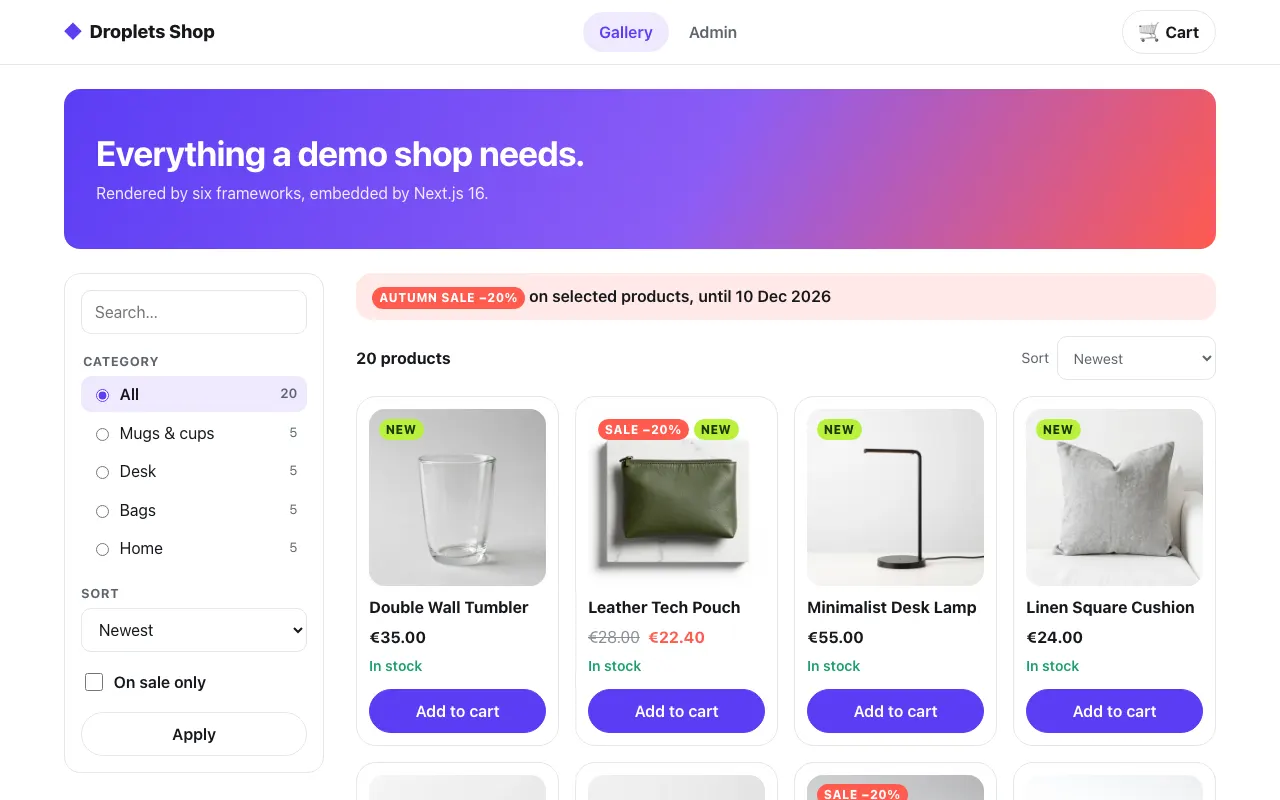 The gallery
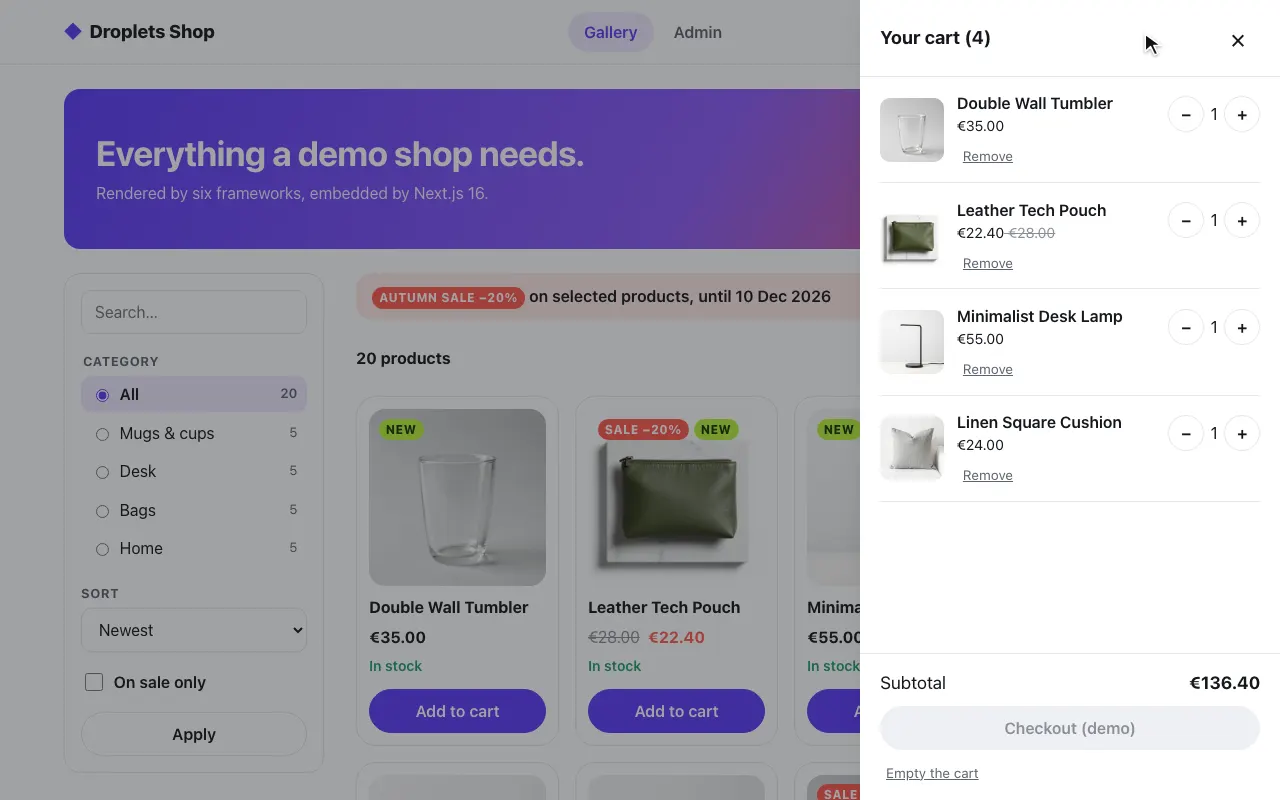 A product in the cart
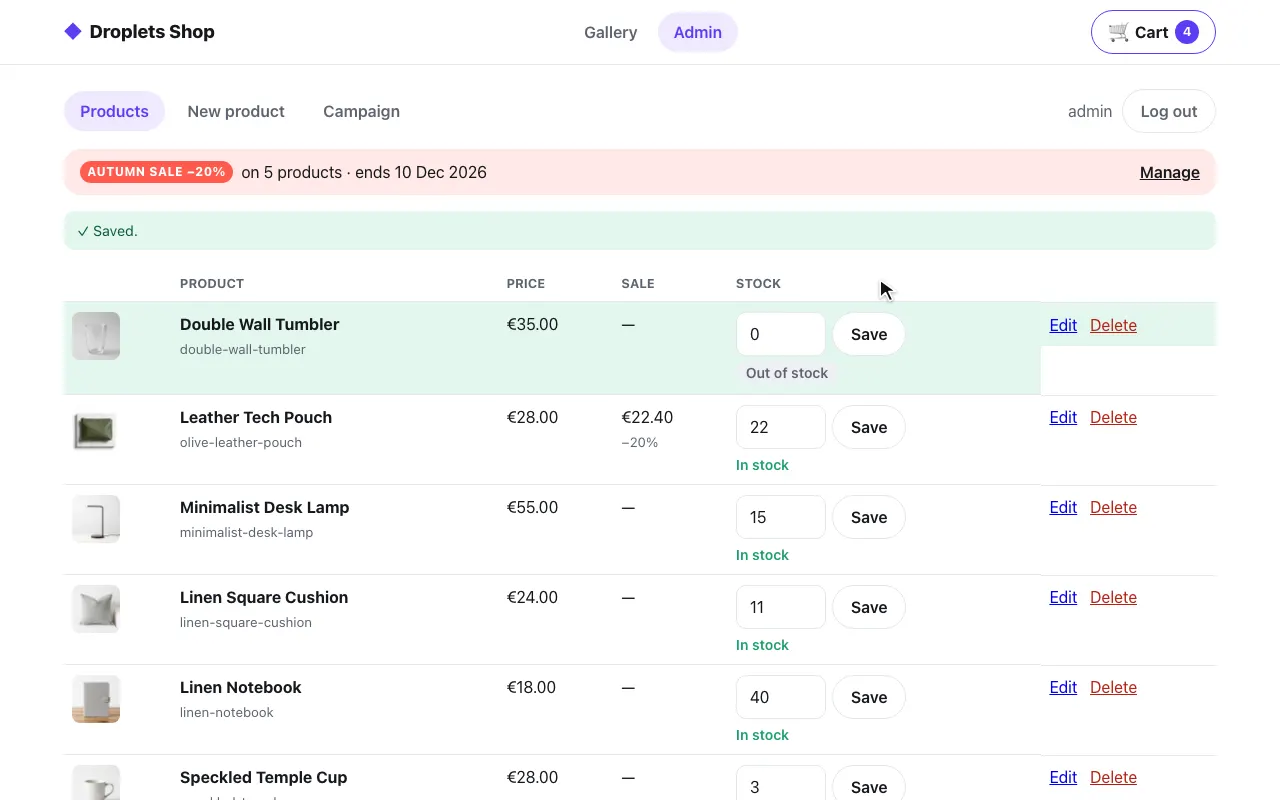 The admin: stock set to 0
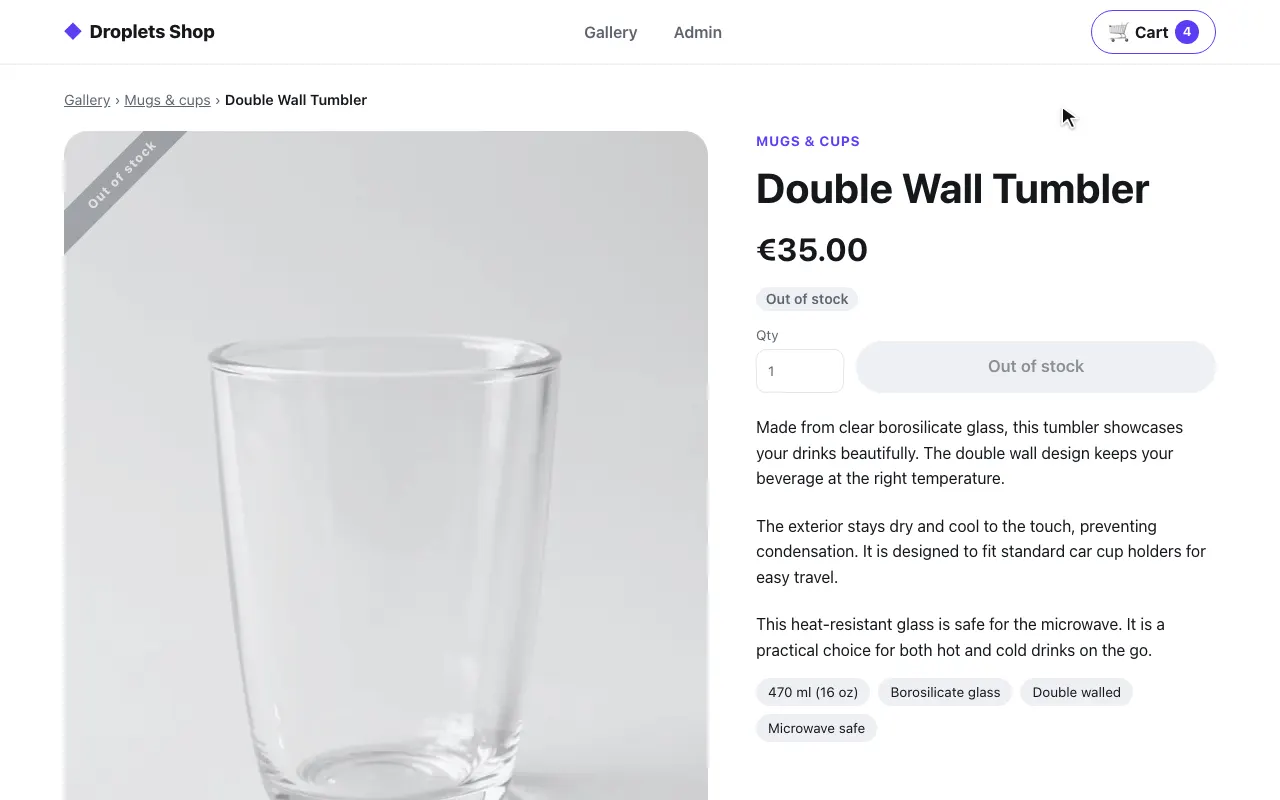 The product page: out of stock
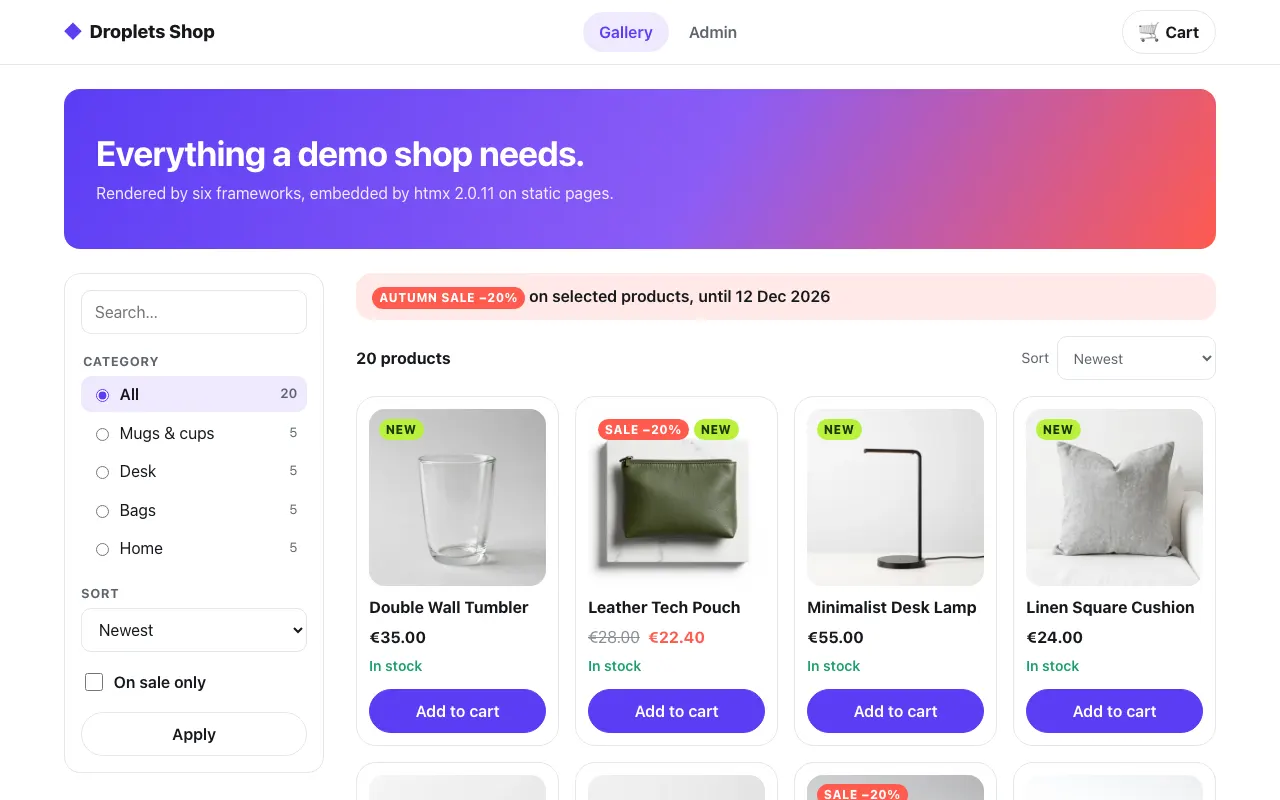 The gallery, swapped in by htmx
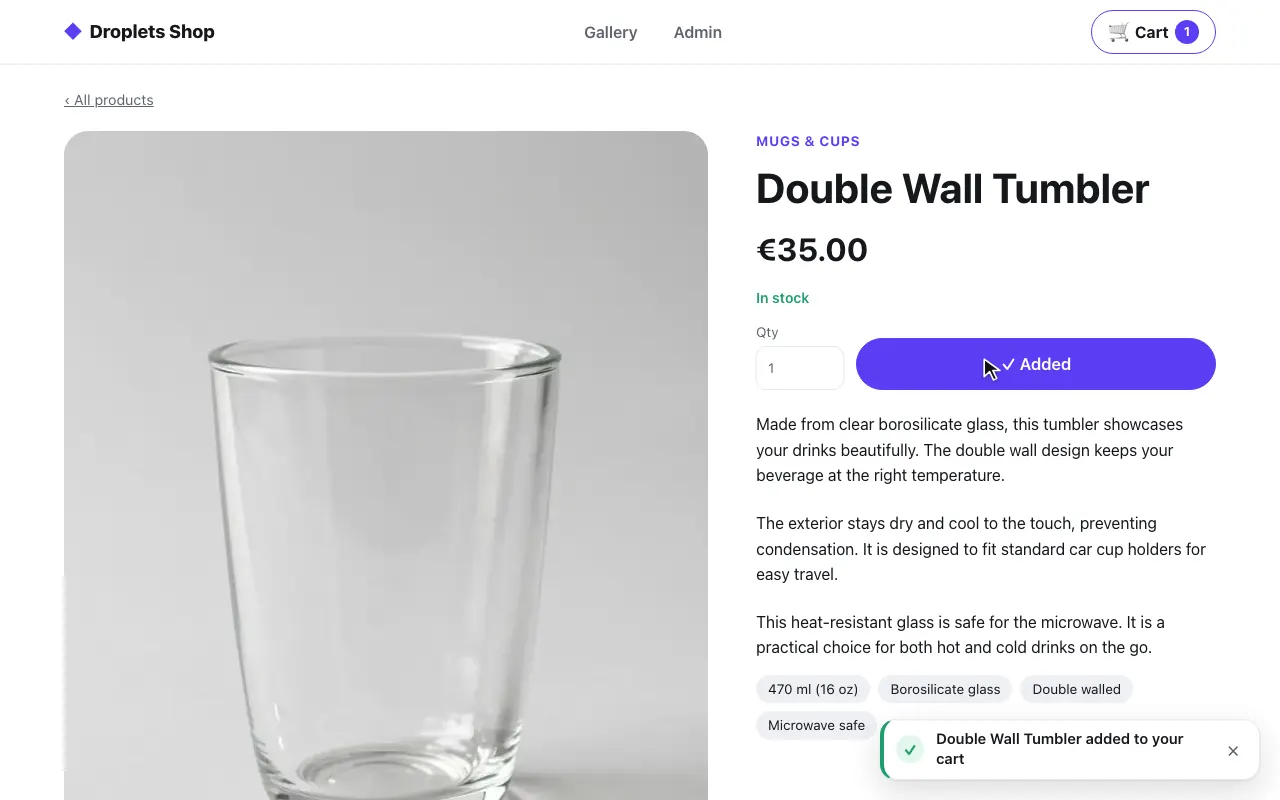 A product page, its form posted in place
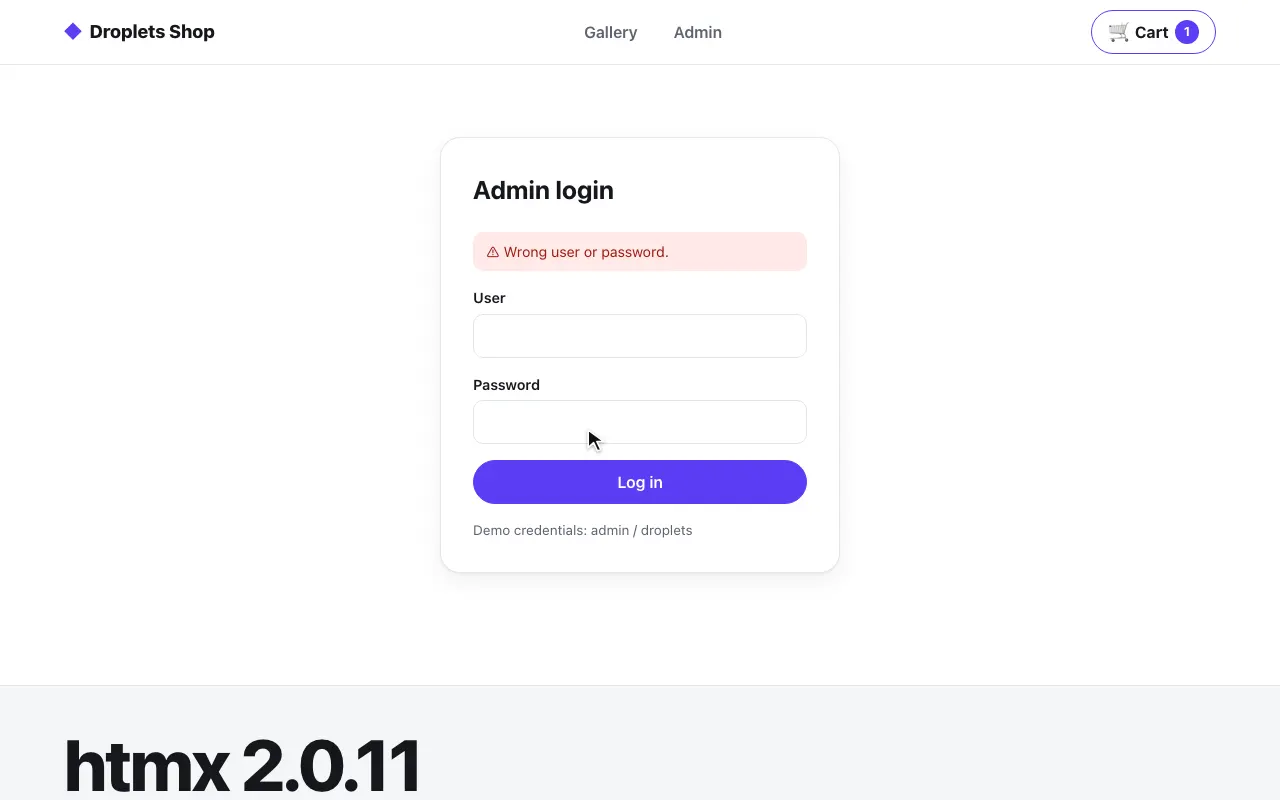 A plain form, back by Post/Redirect/Get
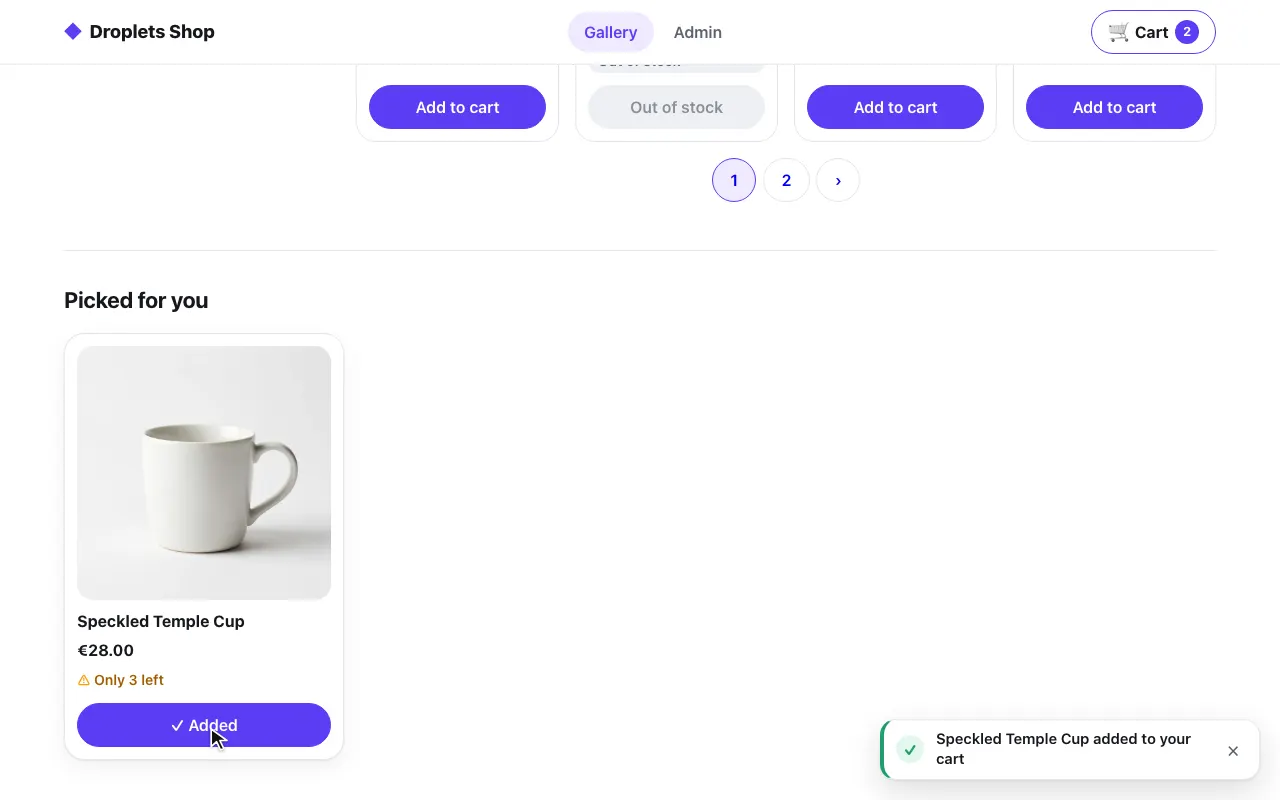 A card asked for once revealed
Static HTML
Section titled “Static HTML”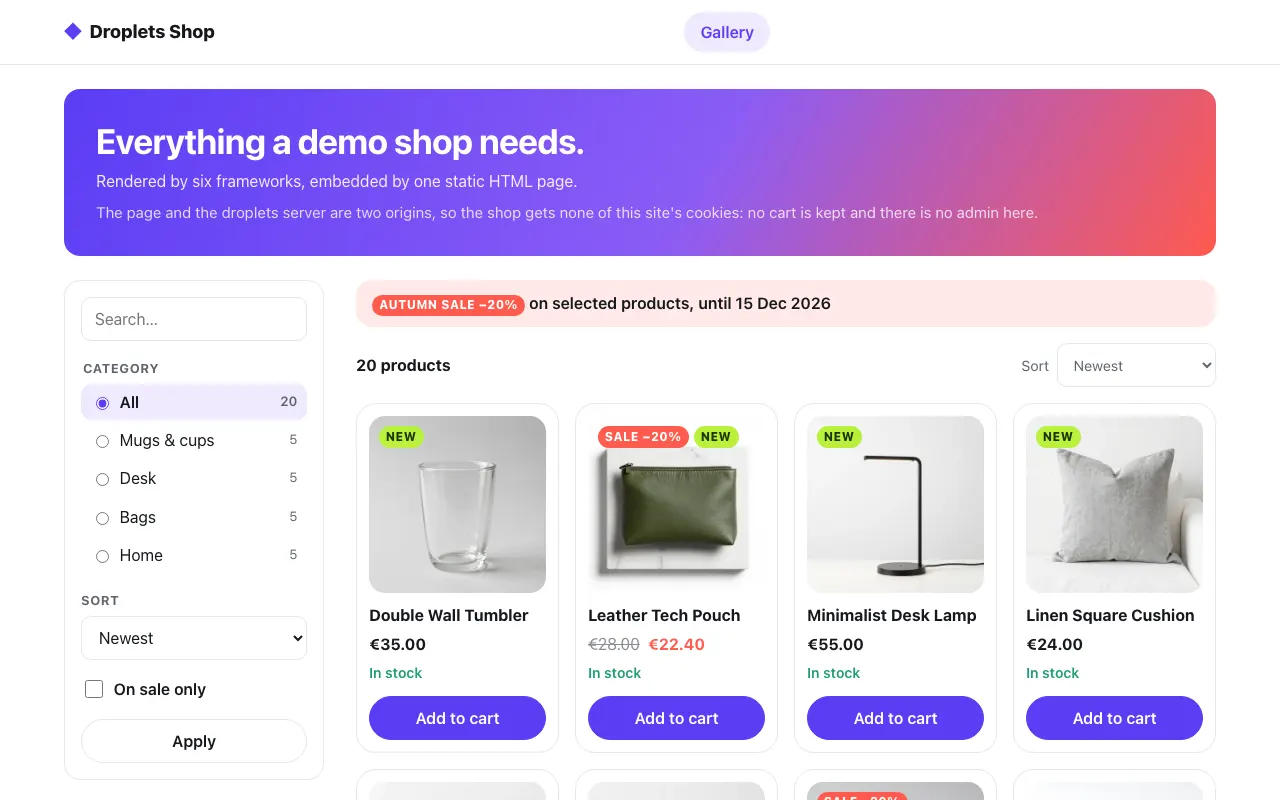 The gallery, fetched from the shop's own origin
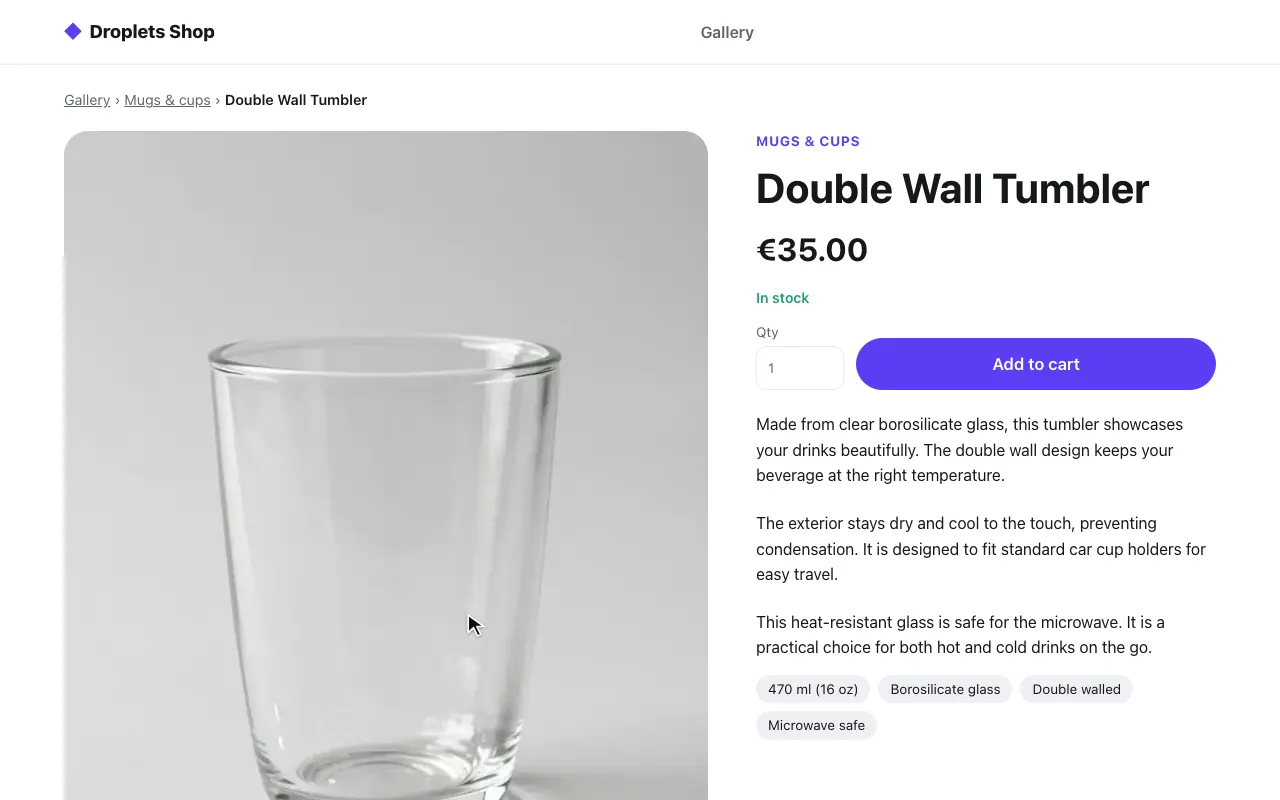 A product page, the same HTML file
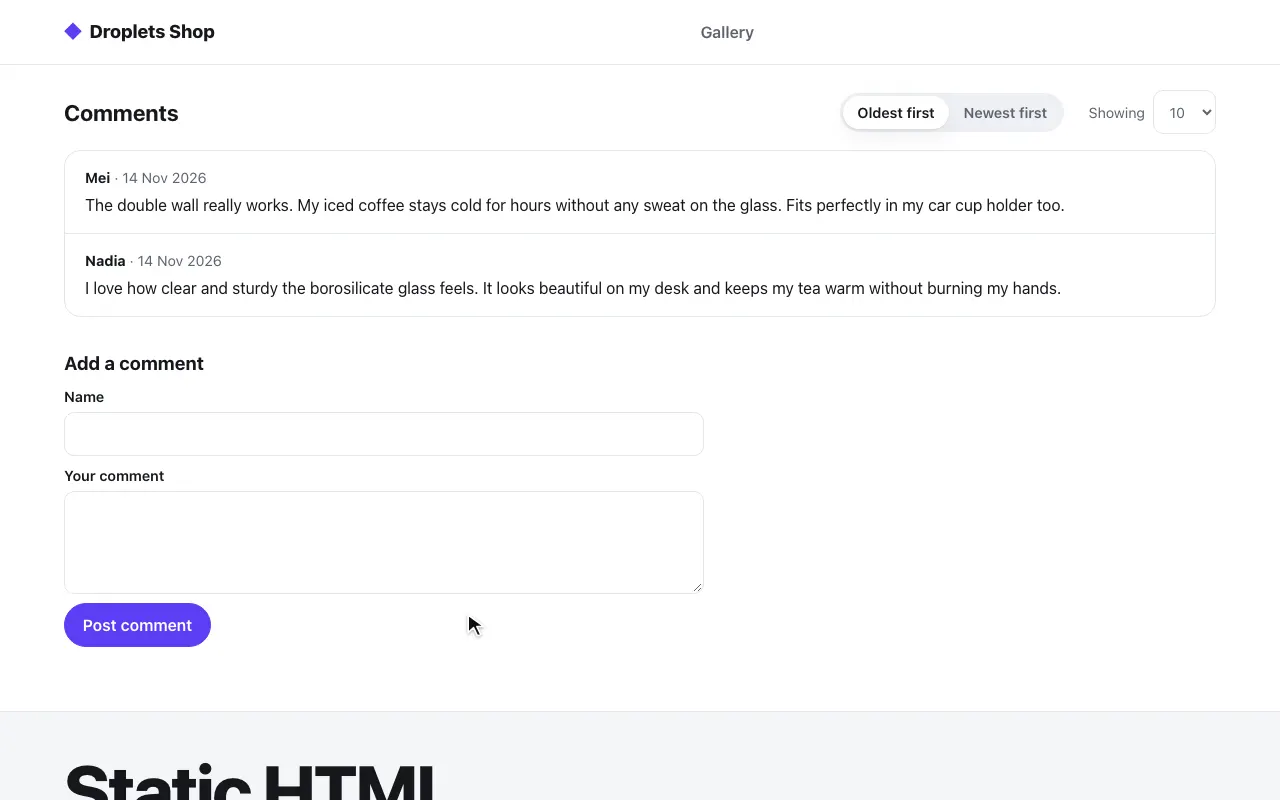 Its comments, asked for with the product's id
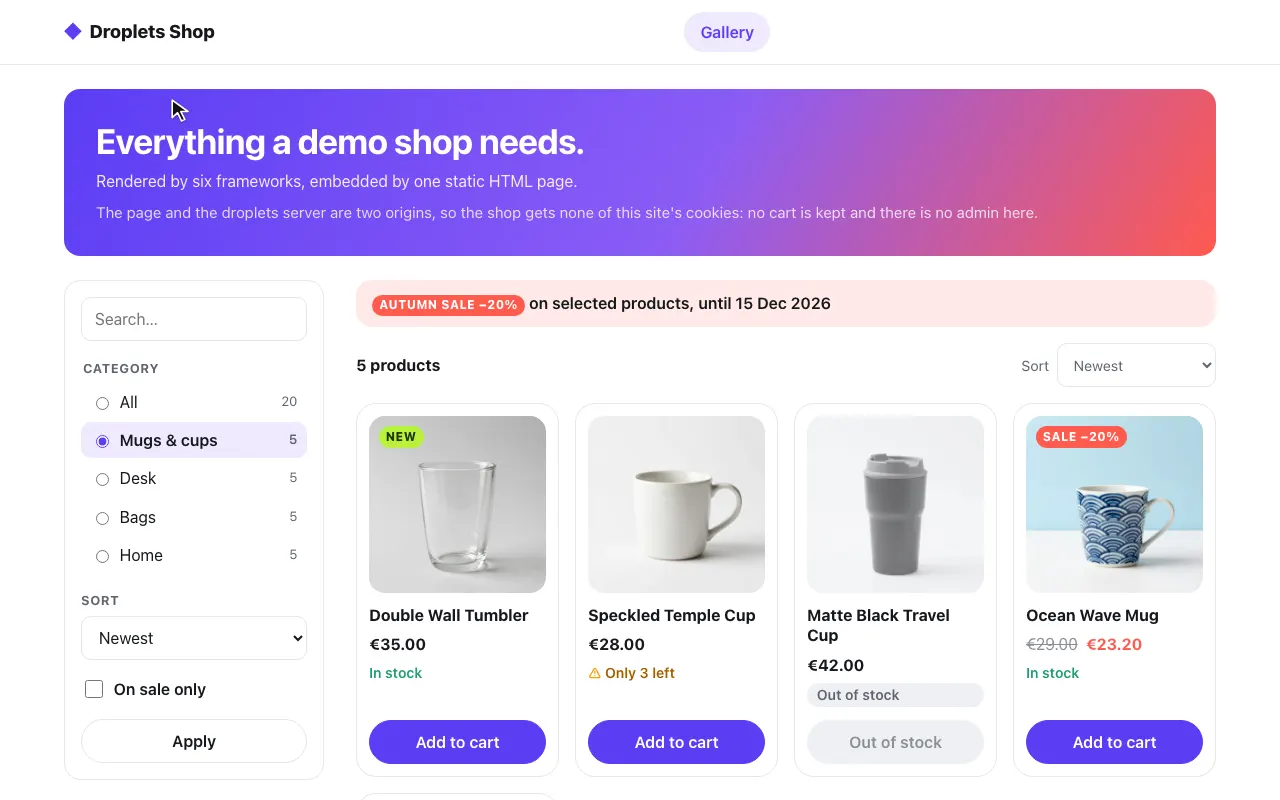 A category, from the page's query