nginx
How nginx embeds droplets with no application code: a Server Side Include fetches each fragment while nginx serves the page, and a reverse proxy carries everything else the browser asks the droplets server for.
The pattern in nginx
Section titled “The pattern in nginx”# nginx.conf, the shop's server block (trimmed)location = /gallery { ssi on; rewrite ^ /gallery.html break;}
# What the browser asks the shop for.location ~ ^/(index\.js$|env\.js$|index\.css$|droplets/|assets/|api/) { proxy_pass http://shop; proxy_set_header Cookie $shop_cookie; proxy_set_header x-droplet-location ${SHOP_PUBLIC_URL}; proxy_set_header Forwarded ""; proxy_set_header X-Forwarded-Host ""; proxy_set_header X-Forwarded-Proto ""; proxy_set_header X-Forwarded-Prefix ""; client_max_body_size 4m;}
# The fragments the pages include.location ^~ /_fragment/ { internal; rewrite ^/_fragment(/.*)$ $1 break; proxy_pass http://shop; proxy_set_header Cookie $shop_cookie; proxy_set_header Referer ${SHOP_PUBLIC_URL}$request_uri; proxy_set_header Accept text/html; proxy_set_header Accept-Encoding ""; proxy_set_header x-droplet-location ${SHOP_PUBLIC_URL}; proxy_set_header Forwarded ""; proxy_set_header X-Forwarded-Host ""; proxy_set_header X-Forwarded-Proto ""; proxy_set_header X-Forwarded-Prefix ""; proxy_intercept_errors on; error_page 400 401 403 404 405 413 431 502 503 504 = @unavailable;}location @unavailable { default_type text/html; return 200 '<p class="shop-unavailable">This droplet is unavailable.</p>';}<!-- shop/_layout/head.html: one script per page, through the proxy --><script type="module" src="/index.js"></script><aside><!--# include virtual="/_fragment/droplets/product-filter?$args" --></aside>ssi onmakes nginx run the page’sinclude virtualdirectives while it serves/gallery(the filegallery.html). Each include is a subrequest to/_fragment/droplets/<id>, which the/_fragment/location rewrites toGET /droplets/<id>?<query>on the shop.$argsis the page’s own query, passed whole: the shop drops what a droplet does not take.- The subrequest carries the browser’s
Cookie, cut down to the shop’s owncart_idandshop_adminby amapbefore the shop’sserverblock ($shop_cookie), so another app’s cookie on this origin stays here. nginx addsAccept: text/html, the page’s URL asReferer($request_uriis the page’s in a subrequest) andx-droplet-location, and clearsAccept-Encoding, so the body it pastes is plain HTML. - The answer’s body goes into the page where the include was. The error
statuses listed in
error_pagebecome a fixed note instead, since their text may echo the query; a 500 is pasted, because it carries the droplet’s error page. - The
location ~block passes/index.js,/env.js,/index.css,/droplets/*,/assets/*and/api/*to the shop, so the browser only talks to nginx. nginx.confis a template (the nginx image’s/etc/nginx/templates/):${SHOP_PUBLIC_URL}is filled in when the container starts (http://localhost:8081by default). nginx sends it asx-droplet-locationin place of any a client sent, and clearsForwardedandX-Forwarded-*, so nothing a browser sends names another location.- The shop honors that header because its
DROPLETS_TRUSTED_ORIGINSlists the origin, and writes every fragment’s URLs (its stylesheet, its form actions) on it.
The shop demo, recorded
Section titled “The shop demo, recorded”The shop demo on nginx, with no application code, recorded by the end-to-end test. How the pieces fit has the diagram.
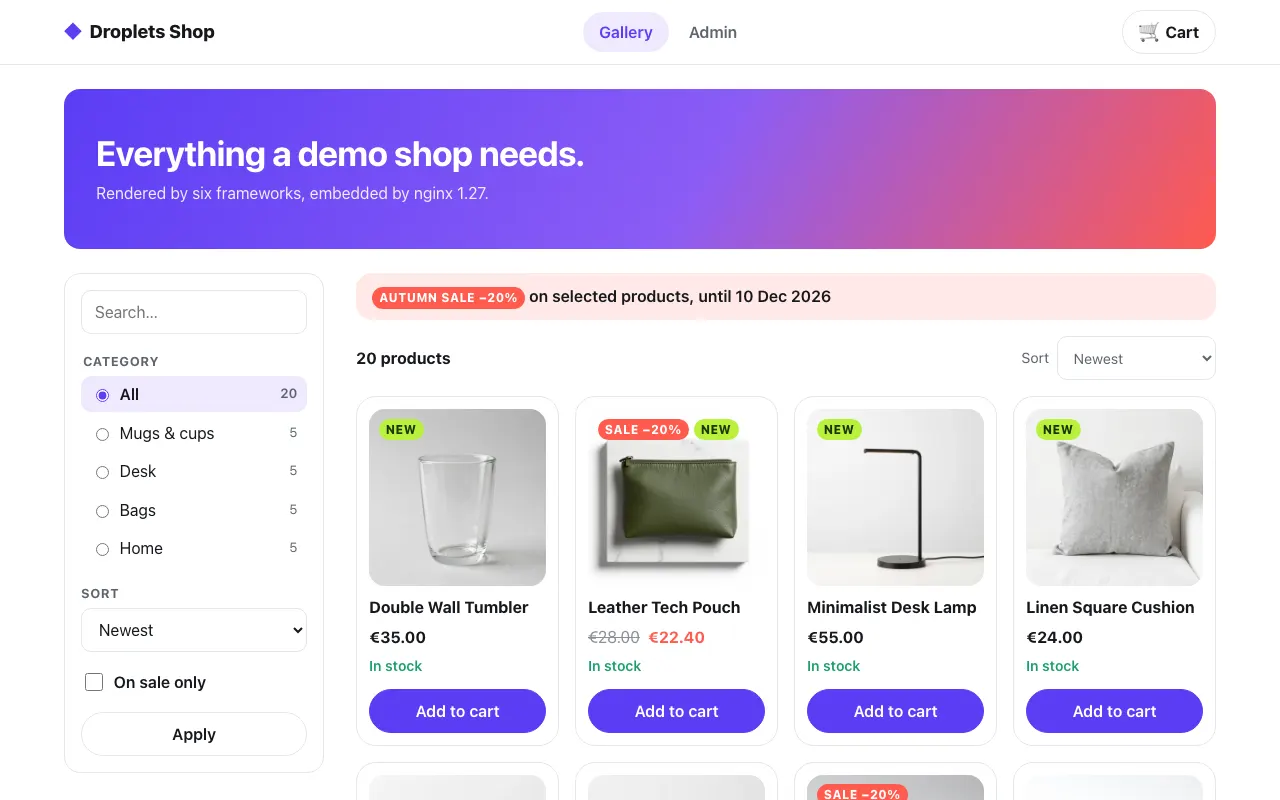 The gallery
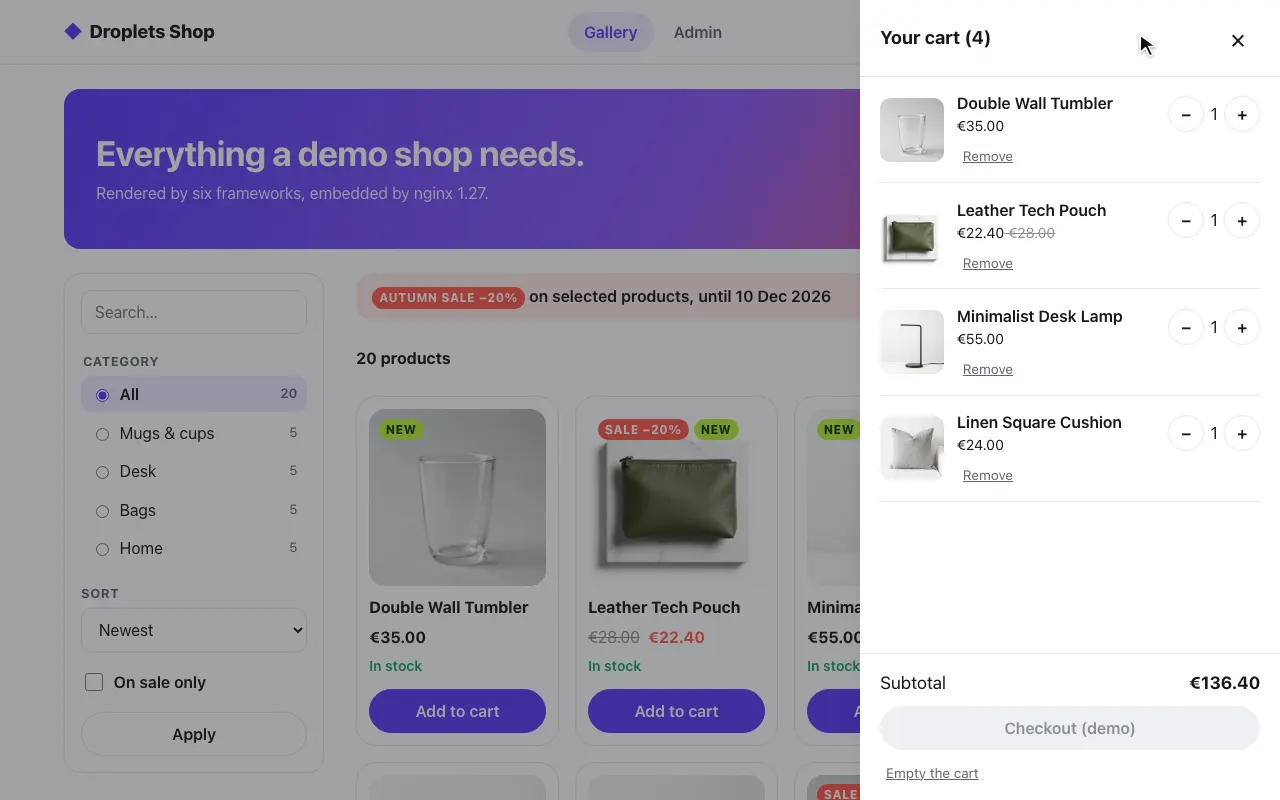 A product in the cart
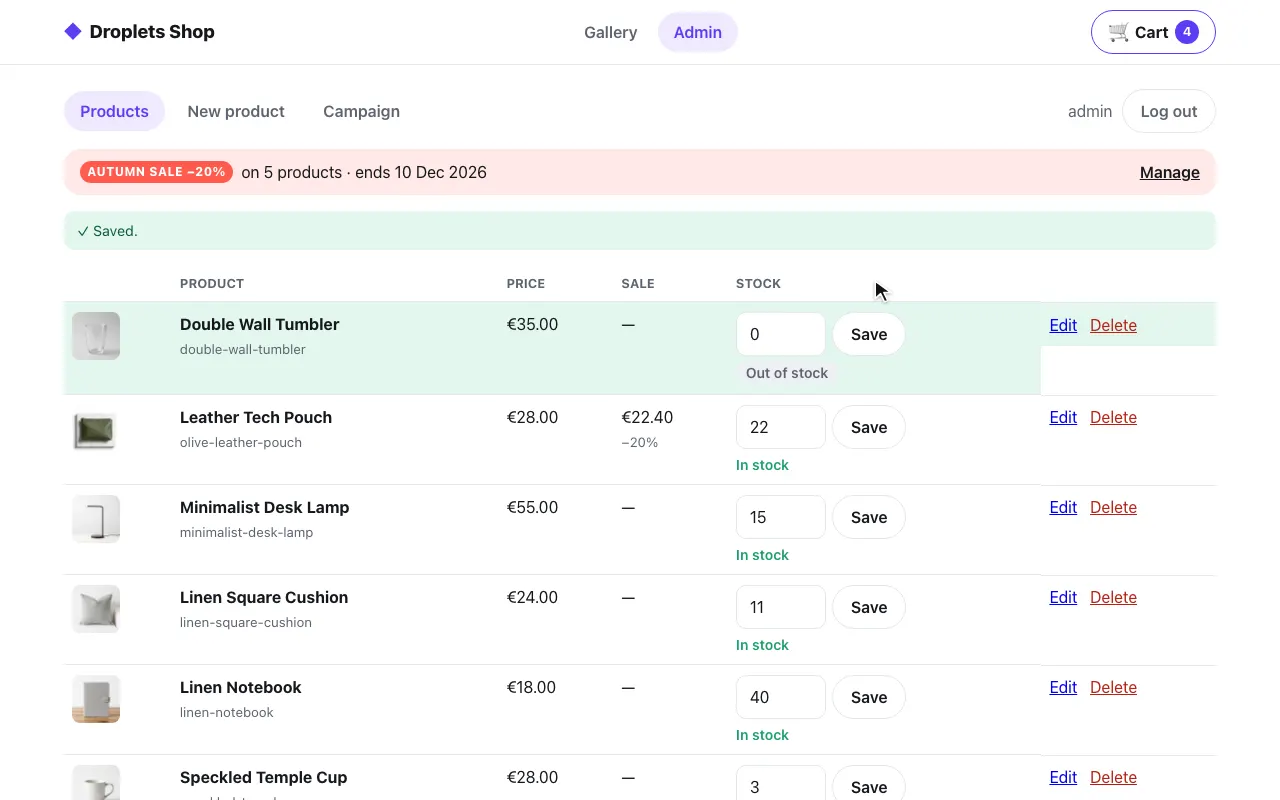 The admin: stock set to 0
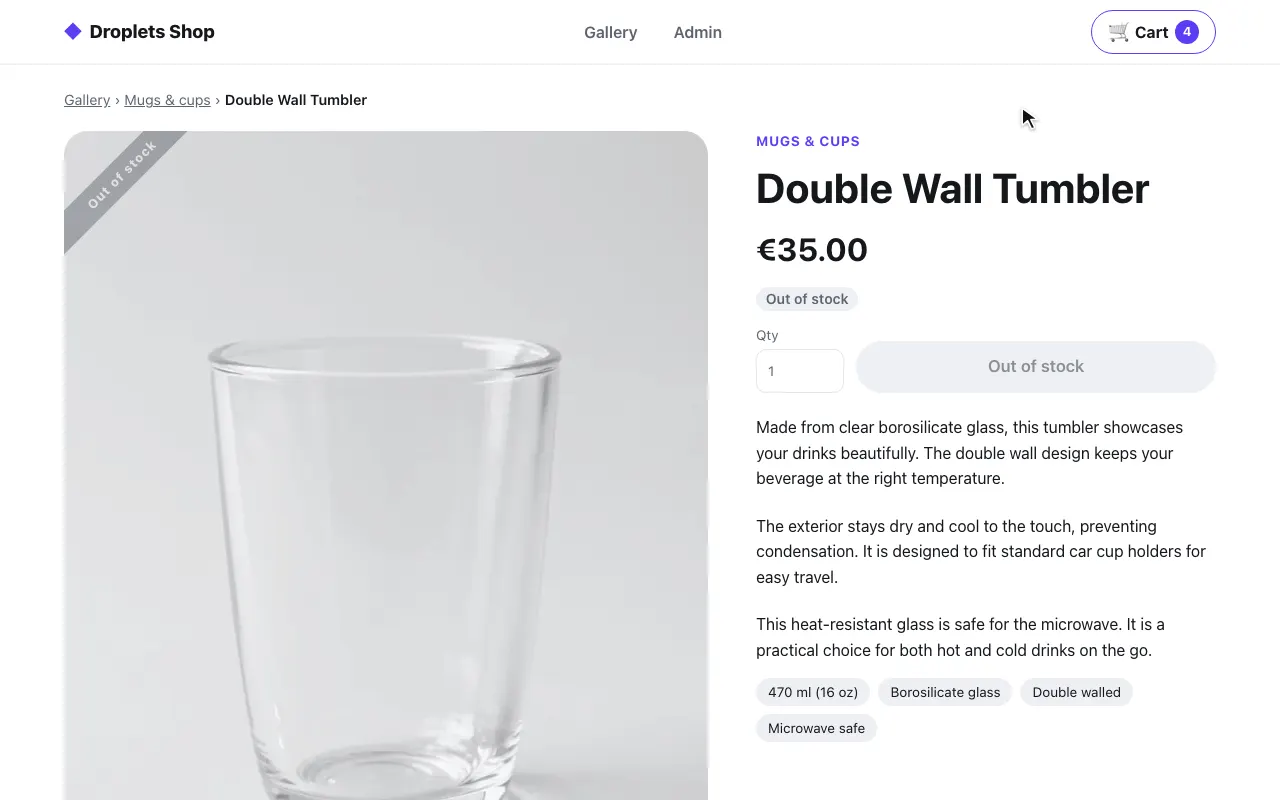 The product page: out of stock
The code is examples/hosts/nginx/nginx.conf (the second server block) and the
SSI pages in examples/hosts/nginx/shop/.
Pieces and ports
Section titled “Pieces and ports”docker-compose.yml starts three services:
| Service | Port | What it is |
|---|---|---|
web |
8081 (the shop) and 8080 (the Svelte example), on 127.0.0.1 |
nginx:1.27-alpine with nginx.conf as a template and html/ and shop/ copied in (its Dockerfile) |
shop |
8300, internal only | the shop’s droplets server (examples/shop) |
droplets |
8000, internal only | the Svelte example’s droplets server, behind port 8080 |
The internal addresses are upstream blocks in nginx.conf
(server shop:8300;, server droplets:8000;). The public ones are in
docker-compose.yml: web’s SHOP_PUBLIC_URL (http://localhost:8081)
and DROPLETS_PUBLIC_URL (http://localhost:8080), which nginx sends as
x-droplet-location, and each droplets server’s DROPLETS_TRUSTED_ORIGINS,
the same URL. WEB_PORT/WEB_URL and DROPLETS_PORT/DROPLETS_URL move
them. The shop has a port of its own because its /index.js and
/droplets/* would collide with the Svelte example’s on 8080.
How a page gets a droplet
Section titled “How a page gets a droplet”Server Side Includes. Each page is an .html file of SSI directives,
rewritten from its path (/gallery, /login, /admin, /product/<slug>);
/ answers a 302 to /gallery, and any other path a 404. Every include goes
through the internal /_fragment/ location in the pattern above.
The subrequest carries the browser’s Cookie, so the cart badge and the
admin render for the visitor. Referer is the page’s URL: the shop’s
handle takes the droplet’s
host from it.
The shared <head> (shop/_layout/head.html) loads
<script type="module" src="/index.js"> once, through the proxy, and each
droplet hydrates itself. The shared header (shop/_layout/header.html,
included right after <body> on every page) starts with the toasts;
/index.js installs window.shopMessageQueue before any droplet starts
(the shop’s src/hooks.client.ts):
<!--# include virtual="/_fragment/droplets/toast-center" --><header class="shop-header"><div class="shop-wrap">…<div class="shop-cart"><!--# include virtual="/_fragment/droplets/shopping-cart?variant=badge" --></div></div></header>The product page needs the product’s id, name and category before it can
include anything. shop/product.html reads the product page’s public
_data into an SSI variable (room for it: subrequest_output_buffer_size 64k)
and picks them out with named captures:
<!--# include virtual="/_fragment/droplets/product-page/_data?slug=$slug" set="product" --><!--# if expr='$product = /"product":\{"id":"(?<pid>p_[a-z0-9]{4,32})",…/' -->…<!--# include virtual="/_fragment/droplets/product-page?slug=$slug$page_v" --><section class="shop-comments"><!--# include virtual="/_fragment/droplets/product-comments?productId=$pid&$args" --></section>The name and category are echoed with encoding="entity" (or "url" in
the breadcrumb link). A slug the captures do not match renders the
not-found layout.
What it proxies
Section titled “What it proxies”location ~ ^/(index\.js$|env\.js$|index\.css$|droplets/|assets/|api/) passes /index.js,
/env.js, /index.css, /droplets/* (fragments, _data, form actions),
/assets/* and /api/* to the shop with x-droplet-location set to
${SHOP_PUBLIC_URL}, Forwarded and X-Forwarded-* cleared, and the
browser’s Cookie cut down to the shop’s own cart_id and shop_admin
(a map before the shop’s server block). Bodies, Set-Cookie and 303s
pass through as they are, so the cart and the login cookies are
first-party, and nothing is cross-origin. client_max_body_size 4m lets
the admin’s image uploads through.
Gotchas
Section titled “Gotchas”- SSI drops a fragment’s headers. An
include virtualis a subrequest: nginx copies its body into the page and discards its response headers, and no directive copies them to the main response. A fragment’sSet-Cookieand itsLinkpreloads never reach the browser, and its redirect is not passed on. The shop is fine with that, since it sets cookies only from form actions and/api, which go through the proxy. A droplet that sets a cookie or redirects on a plainGETcannot be composed with SSI: render that page in code (njs, OpenResty, or another host on this list). - The product page asks first. The shop answers the product fragment
with a 404 for an unknown slug and a redirect for an old
v, which SSI could not pass on. So the product location runsauth_request /_product-check, a request for the same fragment (noCookie, no body) before the page: a 404 becomes the not-found page with status 404, a redirect becomes nginx’s own 302 to the URL withoutv.
location ~ "^/product/(?<slug>[a-z0-9]+(?:-[a-z0-9]+)*)$" { ssi on; set $page_v $shop_page_v; set $page_without_v /product/$slug$shop_query_without_v; auth_request /_product-check; error_page 401 =404 /not-found.html; error_page 403 = @old-version; rewrite ^ /product.html break;}/_product-check turns the fragment’s 404 into a 401 and any 3xx into a
403 (auth_request only passes those on); the map blocks before the shop’s server
block split v off the page’s query.
Run it
Section titled “Run it”cd examples/hosts/nginxdocker compose up --buildopen http://localhost:8081/gallery # log in as admin / dropletsSet SHOP_SECRET and DROPLETS_SECRET first; compose refuses to start
without them. The shop trusts one origin besides its own,
DROPLETS_TRUSTED_ORIGINS: http://localhost:8081, this host’s; the rest of
its environment is the same on every host: see
Running a host.
pnpm test:hosts nginx runs the shop flow against this stack, from the
repository root.
The Svelte example
Section titled “The Svelte example”Port 8080 serves the Svelte example: its three droplets, one per mode,
from examples/frameworks/svelte (the droplets service), with the same
two tools.
The host is a static html/index.html. nginx does two things:
- Server Side Includes.
<!--# include virtual="/droplets/ssr-hydrate?who=nginx" -->makes nginx fetch the fragment while serving the page, so the browser receives server-rendered markup. - Reverse proxy. The droplets routes are proxied under nginx’s own
origin. The browser only ever talks to nginx, so no CORS is involved, and
the
x-droplet-locationnginx sends has the droplets server write the fragments’ URLs on nginx’s origin. A droplet calls the droplets server’s/apion the origin its page loaded/index.jsfrom ($droplets/drop), so/api/*goes through the proxy too.
The page
Section titled “The page”<!-- html/index.html (trimmed) --><head> <meta charset="utf-8"> <title>Droplets in nginx</title> <!-- One script per page, served through the proxy from the droplets server. --> <script type="module" src="/index.js"></script></head><body> … <!--# include virtual="/droplets/client?who=nginx" --> <!--# include virtual="/droplets/ssr-hydrate?who=nginx" --> <!--# include virtual="/droplets/ssr-nohydrate?who=nginx" --></body>client renders in the browser, ssr-hydrate is server-rendered and
hydrated, ssr-nohydrate is server-rendered and loads no JavaScript.
The configuration
Section titled “The configuration”upstream droplets { server droplets:8000;}
server { listen 80; server_name _;
root /usr/share/nginx/html; index index.html;
# Static pages with <!--# include virtual="/droplets/<id>" --> directives. location / { ssi on; try_files $uri $uri/ =404; }
# Everything the droplets server owns: the entry client and what it imports # (/env.js, the runtime public variables; /index.css, the shared # stylesheet), the droplet routes (fragments, bundles, styles, _data), the # shared assets and its /api endpoints. location ~ ^/(index\.js$|env\.js$|index\.css$|droplets/|assets/|api/) { proxy_pass http://droplets; proxy_set_header x-droplet-location ${DROPLETS_PUBLIC_URL}; proxy_set_header Forwarded ""; proxy_set_header X-Forwarded-Host ""; proxy_set_header X-Forwarded-Proto ""; proxy_set_header X-Forwarded-Prefix ""; # SSI pastes an include's body as it comes: ask for it uncompressed. proxy_set_header Accept-Encoding ""; }}The includes here go to /droplets/<id> directly, through the same
proxy location, so they get the same x-droplet-location, and the cleared
Accept-Encoding: a subrequest carries the browser’s, the droplets server
gzips a fragment for a client that takes gzip, and SSI would paste the
compressed bytes into the page. nginx tells the
droplets server where it is: DROPLETS_PUBLIC_URL (http://localhost:8080)
is written into the config when the container starts, so the header is
never built from the request. The droplets server honors it because its
origin is listed:
droplets: environment: DROPLETS_TRUSTED_ORIGINS: ${DROPLETS_URL:-http://localhost:8080}web: environment: DROPLETS_PUBLIC_URL: ${DROPLETS_URL:-http://localhost:8080}DROPLETS_TRUSTED_ORIGINS is also where the host page is, so it keeps
event.host on it.
Behind a path or several public URLs
Section titled “Behind a path or several public URLs”Not part of the example, the same proxy behind a path prefix: put the path
in the URL, proxy_set_header x-droplet-location https://shop.example/mfe;,
and the droplets server writes every URL under https://shop.example/mfe.
With several public URLs (one server for shop.example and
www.shop.example), give each server block its own written-out
x-droplet-location, and list every origin in DROPLETS_TRUSTED_ORIGINS:
DROPLETS_TRUSTED_ORIGINS=https://shop.example,https://www.shop.exampleA proxy can instead pass the forwarded headers it already knows, with the prefix:
location /mfe/ { proxy_pass http://droplets/; proxy_set_header X-Forwarded-Proto $scheme; proxy_set_header X-Forwarded-Host $host; proxy_set_header X-Forwarded-Prefix /mfe;}$host comes from the client’s Host header, so the droplets server uses
that location only when its origin is in DROPLETS_TRUSTED_ORIGINS; any
other falls back to the request’s own origin (with a warning under
vite dev). See x-droplet-location
for the order the headers are read in.
examples/hosts/nginx/iis/web.config is a URL Rewrite and Application
Request Routing (ARR) sketch of the proxy half. It has not been run on a
Windows host. It rewrites index.js, env.js, index.css, droplets/*,
assets/* and api/* to http://localhost:8000:
<rule name="droplets" stopProcessing="true"> <match url="^(index\.js|env\.js|index\.css|droplets/.*|assets/.*|api/.*)$" /> <action type="Rewrite" url="http://localhost:8000/{R:0}" /> <serverVariables> <set name="HTTP_X_DROPLET_LOCATION" value="https://www.example.com" /> <set name="HTTP_FORWARDED" value="" /> <set name="HTTP_X_FORWARDED_HOST" value="" /> <set name="HTTP_X_FORWARDED_PROTO" value="" /> <set name="HTTP_X_FORWARDED_PREFIX" value="" /> </serverVariables></rule>The server variable HTTP_X_DROPLET_LOCATION is the x-droplet-location
request header the droplets server reads: the site’s public URL, written
out, never built from the request’s Host. The four after it clear the
incoming Forwarded and X-Forwarded-* headers, as nginx.conf does,
since a client could send them. To use the sketch, allow those five
variables in applicationHost.config (URL Rewrite’s
allowedServerVariables), enable “proxy” in ARR’s server settings, and
list the URL’s origin in the droplets server’s DROPLETS_TRUSTED_ORIGINS.
IIS cannot include arbitrary URLs server-side. Pair it with a page that fetches fragments itself (an ASP.NET page following the Express pattern) or with the client-only pattern from the React example.