Express
How an Express app embeds droplets: a route handler fetches each fragment on the server and pastes it into the page it sends.
The pattern in Express
Section titled “The pattern in Express”// src/shop.js (trimmed)const fragmentHeaders = (req) => { const headers = { accept: "text/html", "x-droplet-location": origin, referer: origin + req.originalUrl }; const cookie = shopCookies(req.get("cookie")); if (cookie) headers.cookie = cookie; return headers;};
async function fragment(req, id, params = new URLSearchParams()) { const url = `${internal}/droplets/${encodeURIComponent(id)}?${params}`; const result = { html: "", status: 502, location: null, cookies: [], link: null }; try { const response = await fetch(url, { headers: fragmentHeaders(req), redirect: "manual" }); result.status = response.status; result.cookies = response.headers.getSetCookie(); result.link = response.headers.get("link"); if (response.status >= 300 && response.status < 400) { result.location = response.headers.get("location"); } else if ( (response.ok || response.status === 500) && (response.headers.get("content-type") ?? "").startsWith("text/html") ) { result.html = await response.text(); return result; } await response.body?.cancel(); } catch (error) { console.error(`[shop] ${id}:`, error); } result.html = `<p class="shop-unavailable">The ${escapeHtml(id)} droplet is unavailable (…).</p>`; return result;}<!-- src/shop.js, layout(): in <head>, once per page --><script type="module" src="/index.js"></script><!-- src/shop.js, the /gallery page's body: the fragment's HTML, as it came --><aside>${filter}</aside>fragment()asks the shop forGET /droplets/<id>?<params>on its internal address (SHOP_INTERNAL_URL), withaccept: text/html,x-droplet-locationset to this host’s public origin (the origin ofSHOP_PUBLIC_URL), the browser’sCookiecut down to the shop’s owncart_idandshop_admin, and the page’s URL asreferer.redirect: "manual"keeps a droplet’s 3xx, whichrender()answers as it is.- Only a
text/htmlanswer (a 2xx, or a 500 carrying the droplet’s error page) is pasted; anything else becomes a “droplet is unavailable” note with the id escaped.render()sends every fragment’sSet-Cookiewith the page. layout()loads/index.jsonce; each droplet element on the page then hydrates itself.router.use(path, proxy)passes/index.js,/env.js,/index.css,/droplets/*,/assets/*and/api/*on to the shop, every method, so the browser only talks to this origin.
The shop demo, recorded
Section titled “The shop demo, recorded”The shop demo on Express 5, recorded by the end-to-end test. How the pieces fit has the diagram.
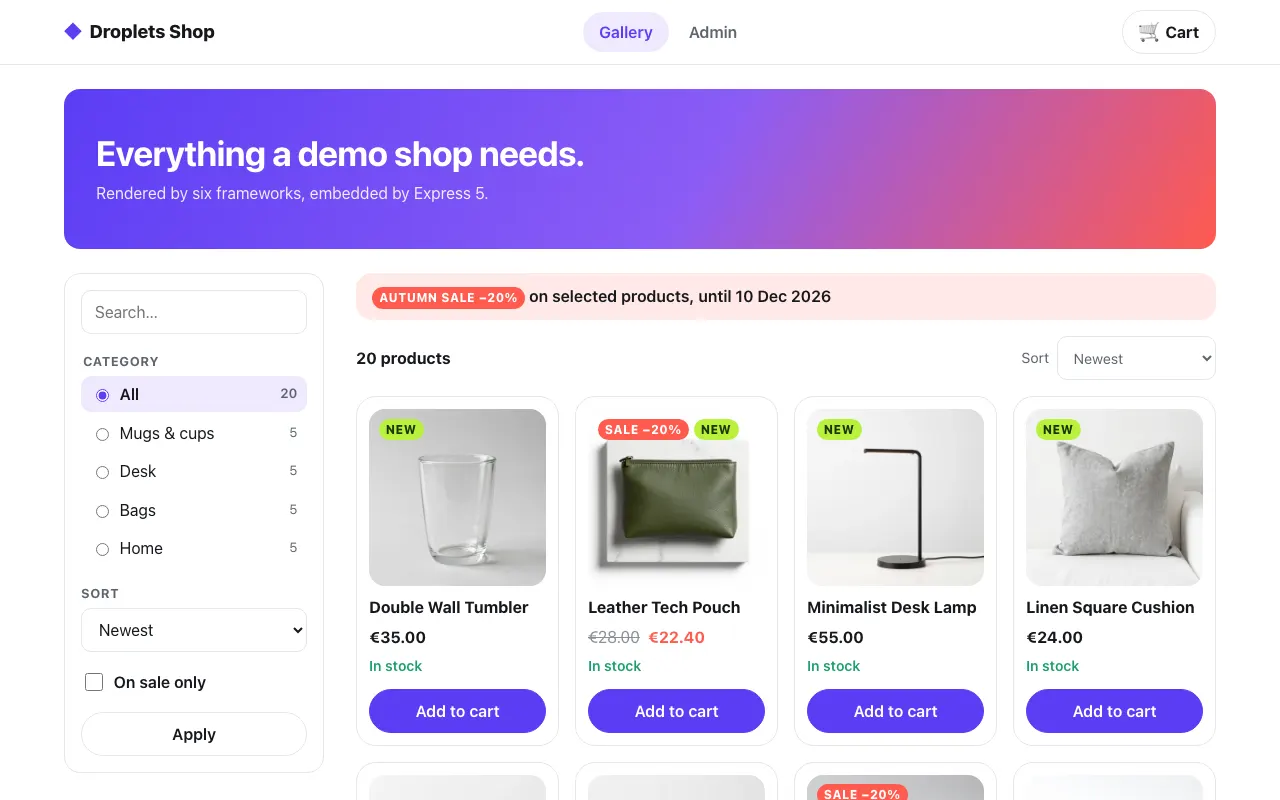 The gallery
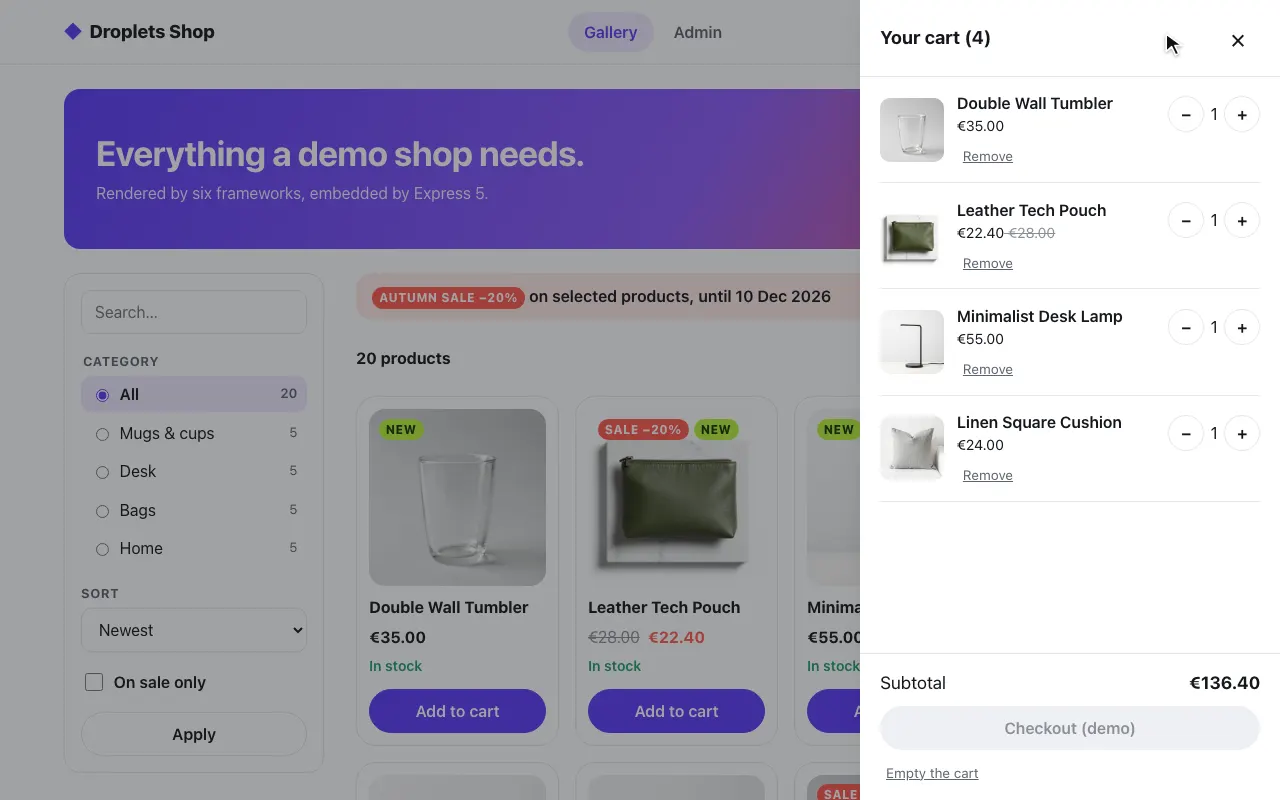 A product in the cart
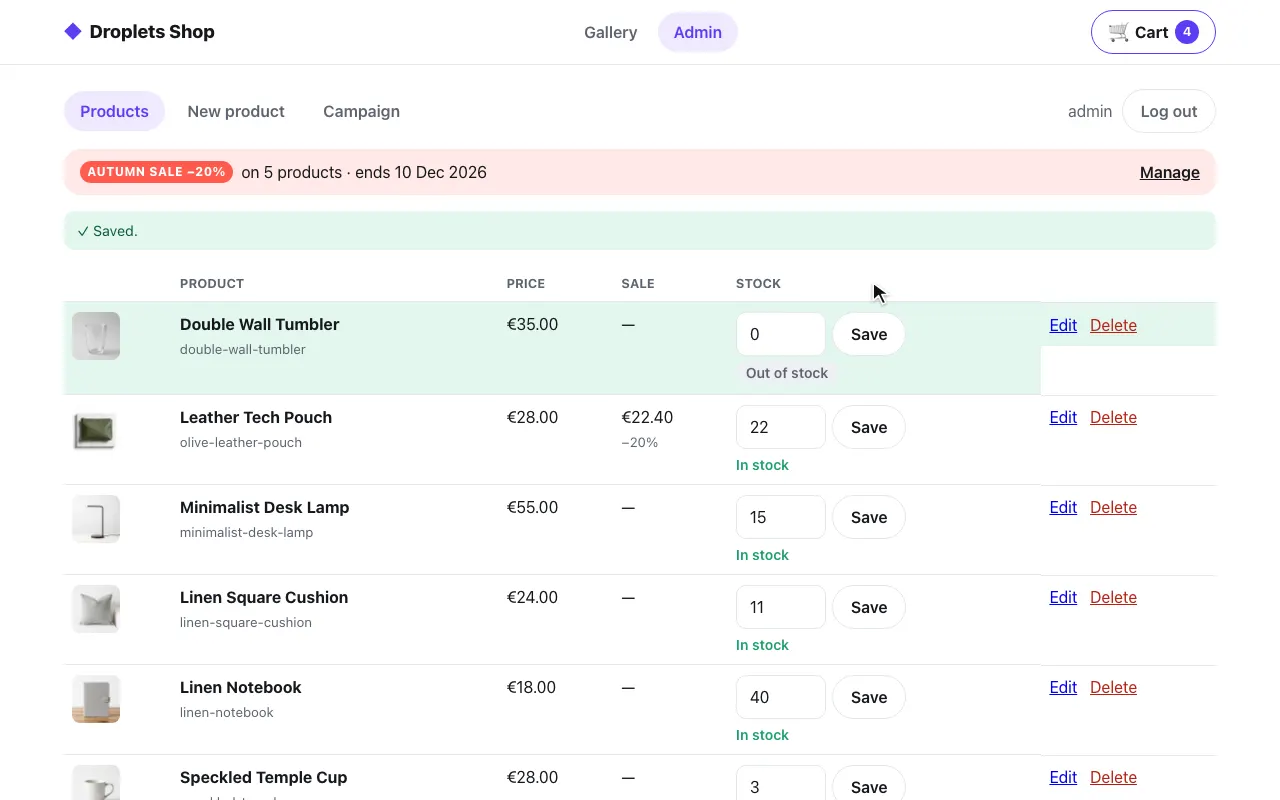 The admin: stock set to 0
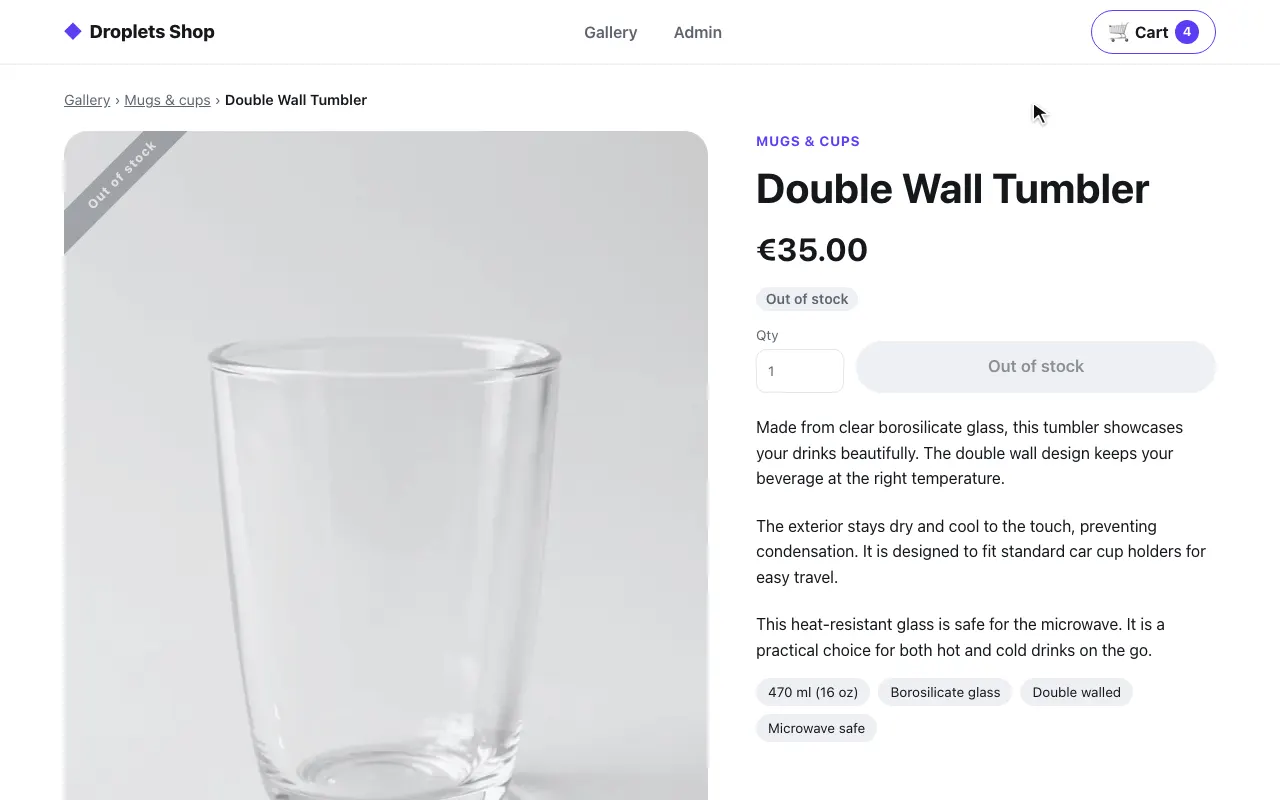 The product page: out of stock
The code is examples/hosts/express/src/shop.js, mounted by src/server.js
before the basic page.
Pieces and ports
Section titled “Pieces and ports”docker-compose.yml starts three services, each published on 127.0.0.1
only:
| Service | Port | What it is |
|---|---|---|
web |
8003 | Express: the shop’s pages, the proxy, and the basic page at / |
shop |
8300, internal only | the shop’s droplets server (examples/shop) |
droplets |
8000 | the Svelte example’s droplets server, for / only |
On web |
Value | Used for |
|---|---|---|
SHOP_INTERNAL_URL |
http://shop:8300 |
internal: fragment fetches and the proxy |
SHOP_PUBLIC_URL |
http://localhost:8003 |
public: this host’s own origin, sent as x-droplet-location |
DROPLETS_INTERNAL_URL, DROPLETS_PUBLIC_URL |
http://droplets:8000, http://localhost:8000 |
the same pair, for the basic page |
How a page gets a droplet
Section titled “How a page gets a droplet”A server fetch. Each route fetches its fragments in parallel (Promise.all,
with the toast-center droplet and the header’s shopping-cart badge) and
pastes them into one template-string layout. The fetch is fragment(),
shown in the pattern above. The fragments’ Link preloads that name a file
on this origin go into <head> as <link rel="preload"> and
<link rel="modulepreload"> tags.
referer is the page’s own URL, query included: the shop’s handle reads
it as the droplet’s
host, and after
a post without JavaScript it carries the form’s result. The layout loads
<script type="module" src="/index.js"> once, through the proxy, and each
droplet hydrates itself. The toast-center fragment comes first in the
body; /index.js runs the shop’s src/hooks.client.ts, which installs
window.shopMessageQueue before any droplet starts:
// src/shop.js, layout()<body class="shop">${toasts}<header class="shop-header"><div class="shop-wrap">…<div class="shop-cart">${cart}</div></div></header>The product page first reads the product from the shop’s public
GET /droplets/product-page/_data?slug=<slug> and answers 404 when there
is none; the props each page passes are in examples/shop/CONTRACT.md.
What it proxies
Section titled “What it proxies”/index.js, /env.js, /index.css, /droplets/* (fragments, _data, form actions), /assets/*
and /api/* go to the shop through one router (router.use(path, proxy)):
bodies streamed, x-droplet-location written out, redirects not followed,
and Set-Cookie passed back untouched. Of the browser’s headers it forwards
only accept, accept-language, content-type, if-none-match,
origin, referer, user-agent, x-droplet-props and x-droplets-build,
plus cookie cut down to the shop’s own cart_id and shop_admin, so a
Forwarded or X-Forwarded-* header a client sends never reaches the
shop, and neither does another app’s cookie on this origin. A path with a
. or .. segment, once decoded, is refused with 400. Each request to
the shop times out (15 seconds; fragments 10, the product lookup 5). When
the shop is down it answers 502 The shop is unreachable.
The browser only ever talks to localhost:8003, so there is no CORS, and
the shop’s cookies (cart_id, shop_admin) are first-party. The shop sets
them only from form actions and /api, which always come through here.
Gotchas
Section titled “Gotchas”- The proxy drops
content-encodingandcontent-length(and the per-hopconnection,keep-alive,transfer-encoding).fetchhas already decoded the body, so passing them on would lie to the browser. - The proxy URL is concatenated, not resolved.
internal + req.originalUrlkeeps a path like//elsewherea path on the shop;new URL()would turn it into another host. - Off localhost, use https. The shop’s cookies are
Secureeverywhere except plain HTTP tolocalhostor a loopback address.docker-compose.https.ymlputs Caddy in front onhttps://127-0-0-1.sslip.io:8443(seeexamples/hosts/express/README.md), andpnpm test:hosts express --httpschecks that the cookies arriveSecure. - The page is
private, no-store: its fragments were rendered with the visitor’s cookies. See For hosts.
Run it
Section titled “Run it”cd examples/hosts/expressdocker compose up --buildopen http://localhost:8003/gallery # log in as admin / dropletsSet SHOP_SECRET and DROPLETS_SECRET first; compose refuses to start
without them. The shop trusts one origin besides its own,
DROPLETS_TRUSTED_ORIGINS: http://localhost:8003, this host’s; the rest of
its environment is the same on every host: see
Running a host.
The Svelte example
Section titled “The Svelte example”The same app serves the Svelte example at /: its three droplets, one per
mode (client, ssr-hydrate, ssr-nohydrate), from
examples/frameworks/svelte (the droplets service). There are two ways to
combine Express with droplets.
1. Express as a host
Section titled “1. Express as a host”The droplets server runs as its own process. src/droplets.js fetches
GET /droplets/<id> for each droplet, with x-droplet-location set to the
URL the browser reaches the droplets server on, and src/server.js renders
the fragments into its page:
export function createDropletClient({ internalUrl, publicUrl }) {  async function fragment(droplet, props = {}) {    const url = new URL(`/droplets/${encodeURIComponent(droplet)}`, internalUrl);    for (const [key, value] of Object.entries(props)) url.searchParams.set(key, String(value));
    try {      const response = await fetch(url, {        headers: { accept: "text/html", "x-droplet-location": publicUrl },        redirect: "manual",        signal: AbortSignal.timeout(5000),      });      // Only an HTML answer is a fragment (a 500 carries the droplet's error      // page); anything else may echo the props, so it is never pasted.      const isFragment =        (response.ok || response.status === 500) && (response.headers.get("content-type") ?? "").startsWith("text/html");      if (isFragment) return await response.text();      await response.body?.cancel();      return `<p class="error">droplet "${escapeHtml(droplet)}" unavailable: HTTP ${response.status}</p>`;    } catch (error) {      return `<p class="error">droplet "${escapeHtml(droplet)}" unavailable: ${escapeHtml(String(error))}</p>`;    }  }
  /** The one script tag a page needs. */  const clientScript = `<script type="module" src="${publicUrl}/index.js"></script>`;
  return { fragment, clientScript };}
// src/server.js (trimmed)const droplets = createDropletClient({ internalUrl: process.env.DROPLETS_INTERNAL_URL ?? "http://localhost:8000", publicUrl: process.env.DROPLETS_PUBLIC_URL ?? "http://localhost:8000",});
// The Svelte example's droplets (examples/frameworks/svelte), one per mode.const IDS = ["client", "ssr-hydrate", "ssr-nohydrate"];
app.get("/", async (req, res) => { const who = typeof req.query.who === "string" ? req.query.who : "Express"; const fragments = await Promise.all( IDS.map((id) => droplets.fragment(id, { who })), );
res.type("html").send( layout({ title: "Express page, three Svelte droplets", intro: "…", body: fragments.join(""), clientScript: droplets.clientScript, }), );});This page loads /index.js from the droplets server’s public URL
(http://localhost:8000), so the browser fetches each droplet’s JavaScript
across origins: the Svelte example’s droplets.config.ts sets cors: true,
and the compose file lists both public URLs in the droplets service’s
DROPLETS_TRUSTED_ORIGINS.
2. One process
Section titled “2. One process”vite build writes dist/server.js, whose default export is { fetch }
and which does not listen when it is imported. src/embedded.js mounts it
with getRequestListener from @hono/node-server, so the droplets routes
and the Express routes share one origin: no CORS and no
x-droplet-location. The page renders its fragments by calling
droplets.fetch() in-process, without an HTTP round trip:
// src/embedded.js (trimmed)import express from "express";import { getRequestListener } from "@hono/node-server";
// The droplets server's build folder: dist/ of its `vite build`.const distDir = resolve(process.env.DROPLETS_DIST);
// This site's public origin, written out: the droplets server takes the// request's own origin as its location, so the page's requests carry this// one, never the client's Host.const SITE_ORIGIN = new URL(process.env.EXPRESS_SITE_URL ?? `http://localhost:${PORT}`).origin;
// The droplets server as a module: `{ fetch(request) }`, nothing listening.const droplets = (await import(pathToFileURL(resolve(distDir, "server.js")).href)).default;
const IDS = ["client", "ssr-hydrate", "ssr-nohydrate"];const app = express();
// Express renders its page by calling the handler in-process: no HTTP hop.app.get("/", async (req, res) => {  const who = typeof req.query.who === "string" ? req.query.who : "Express";  const fragment = async (id, props = {}) => {    const url = new URL(`/droplets/${id}`, SITE_ORIGIN);    for (const [key, value] of Object.entries(props)) url.searchParams.set(key, value);    return (await droplets.fetch(new Request(url))).text();  };
  res.type("html").send(    layout({      title: "Express and droplets, one process",      intro: "…",      body: (await Promise.all(IDS.map((id) => fragment(id, { who })))).join(""),      clientScript: '<script type="module" src="/index.js"></script>',    }),  );});
// Everything else is a droplets route: /droplets/*, /droplets/<id>/client.js, /assets/*, /api/* ...app.use(getRequestListener(droplets.fetch));
The fragment requests carry EXPRESS_SITE_URL’s origin
(http://localhost:8003 by default), so the droplets server’s location is
that origin and every URL it writes points back at this server; the
client’s Host header plays no part. DROPLETS_DIST has no default: the
script exits without it.
Both are in examples/hosts/express. docker compose up --build runs the
first (node src/server.js, the Dockerfile’s command). The second runs from
that folder after a build of examples/frameworks/svelte:
DROPLETS_DIST=../../frameworks/svelte/dist node src/embedded.js # npm run start:embedded